
You can join your Factorio server directly using the IP address and port shown on your control panel.

If this is a brand new server, make sure you have created or uploaded a save first: Initial setup for your Factorio server.

Joining by direct connect

  1. Start your Factorio server from the control panel.
  2. Copy the server IP address and port from the control panel.
  3. Open Factorio on your PC and click Multiplayer.
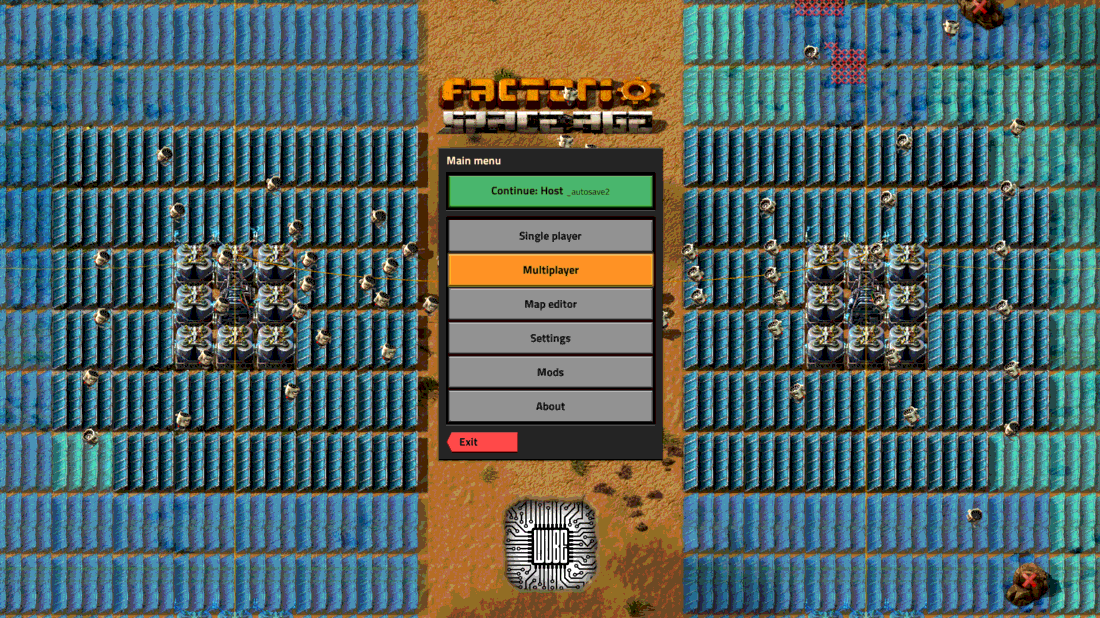
    Factorio Multiplayer button on the main menu

  4. Click Connect to address.
  5. Enter the server address using the IP and port from your panel.
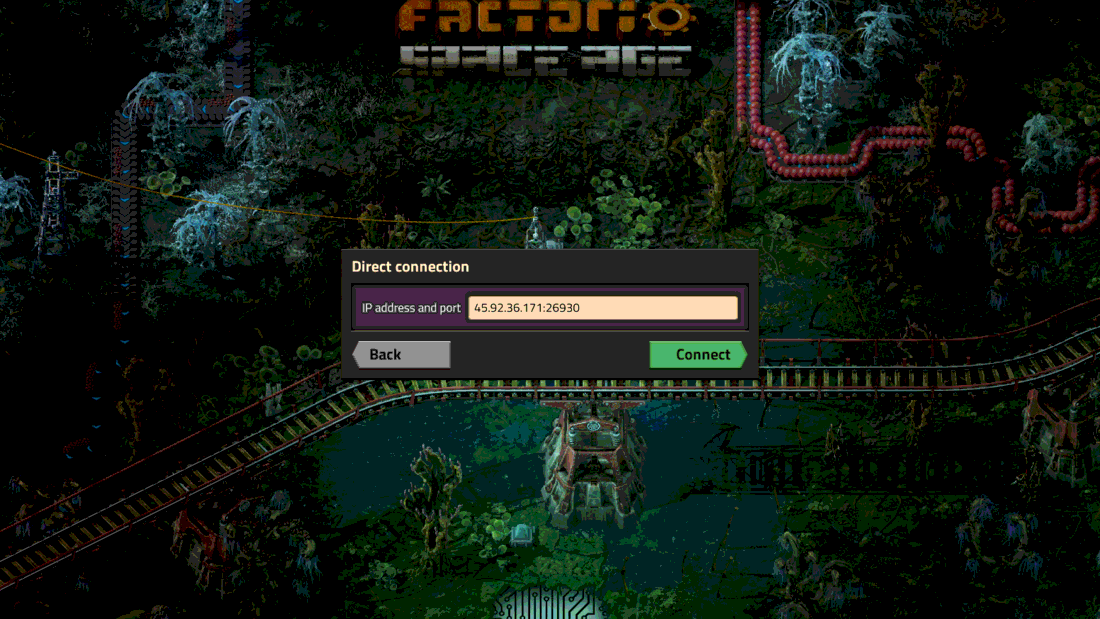
    Factorio Connect to address window

  6. Click Connect. If your server has a password set, Factorio will ask for it before joining.

If the connection fails, check that the server is online and that the save has finished loading in the console.


  • 2 Uživatelům pomohlo
Byla tato odpověď nápomocná?

Související články

Generating your server token for your Factorio server

Factorio uses your Factorio username and server token when the server needs to authenticate with...

Initial setup for your Factorio server

Factorio needs a save file before the server can start. For a new server, the quickest option is...

Uploading Save Game Files to Your Factorio Server

You can upload an existing Factorio save if you already have a world on your own PC, or if you...

Installing Mods on your Factorio server

Factorio server mods are uploaded to the server's mods folder. Players joining the server will...

Factorio Autosaves and Rolling Back to an Autosave

Factorio autosaves are controlled from server-settings.json. You can change how often the server...
