
To create a custom command line on your ARK Server Hosting on our TCAdmin control panel, you must:

1. Click on the custom command line button on the control panel, then click new click new on command lines
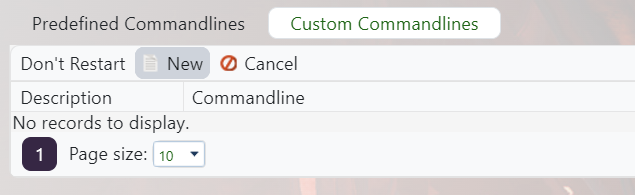
2. Now you have to set what you want to change:
          1. Tick the box on the left of the option you wish to modify, this will enable it.
          2. Give the option a value on the right side.setting something on the command line
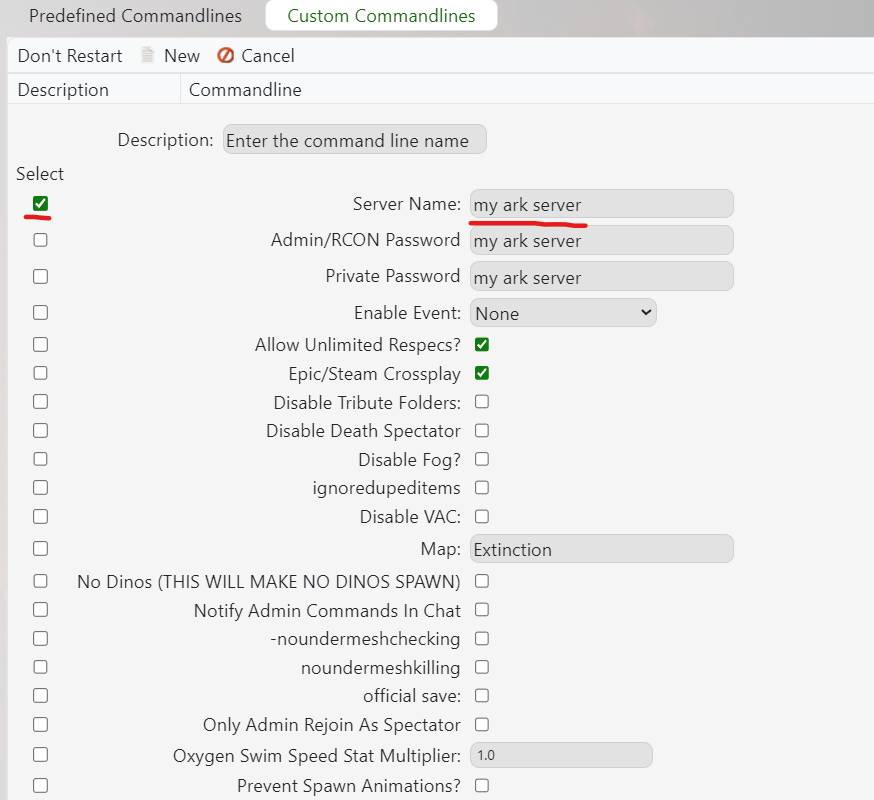
3. Give the custom command line a name in the Description box then save the command line.save

4. Once saved on the right of the command line there is a select button to activate it.select the command line

Your new command line should now be active on the server!

 

  • custom, command, line
  • 73 Kasutajad peavad seda kasulikuks
Kas see vastus oli kasulik?

Seotud artiklid

Updating to the latest ARK patch

Use Steam Update when ARK releases a server update. Take a backup first if you are also changing...

How to run ARK ScorchedEarth DLC on your server

Scorched Earth changes the server into ARK's desert-focused DLC map, with heat, storms,...

ARK cross-server gateway travel using multiple servers in a cluster

Note: for servers purchased before 16/09/2016 (16th September 2016) please send in a support...

How to disable Battleye on an ARK server

BattlEye can be disabled from the ARK server startup options when you need to troubleshoot...

How to upload a single player world onto your ARK server

You can upload an ARK single-player save by copying the local save files from your PC into the...

