
Wiping an ARK server removes selected save data so the server can start fresh. Take a backup first if there is any chance you may want to restore the old world, tribes, or players.

  1. Open your ARK server in the control panel.
  2. Click Backup Server and wait for the backup to finish.
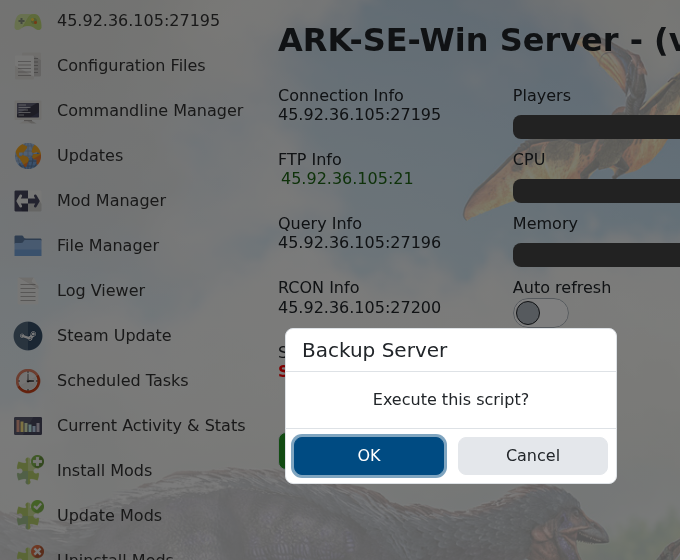
    ARK Backup Server confirmation before wiping

  3. Stop the server.
  4. Click Wipe Server.
  5. Choose the wipe options shown by the panel. Use the map/world option when you only want a new map, and player/tribe options only when you want that progress removed too.
  6. Confirm the wipe and wait for the task to finish.
  7. Start the server so ARK generates fresh save data.

The old article Wiping an ARK server map to start over is covered by this guide. If you only need to change map settings, change those first, then wipe before starting the server.


  • 20 Utilizadores acharam útil
Esta resposta foi útil?

Artigos Relacionados

Updating to the latest ARK patch

Use Steam Update when ARK releases a server update. Take a backup first if you are also changing...

How to run ARK ScorchedEarth DLC on your server

Scorched Earth changes the server into ARK's desert-focused DLC map, with heat, storms,...

ARK cross-server gateway travel using multiple servers in a cluster

Note: for servers purchased before 16/09/2016 (16th September 2016) please send in a support...

How to disable Battleye on an ARK server

BattlEye can be disabled from the ARK server startup options when you need to troubleshoot...

How to upload a single player world onto your ARK server

You can upload an ARK single-player save by copying the local save files from your PC into the...
