
How to backup your Windrose Server
We make backups simple. Every day, our system automatically saves a copy of your settings and saves on your Windrose server. This means all of your progress on your server is kept safe without you needing to do anything. Want to save your backups more or less often? No problem! You can adjust the schedule anytime in the scheduled tasks tab of the control panel, but remember, you can only keep 10 backups at any given time.
How to create a manual backup of your server:
- Login to your TCAdmin control panel:
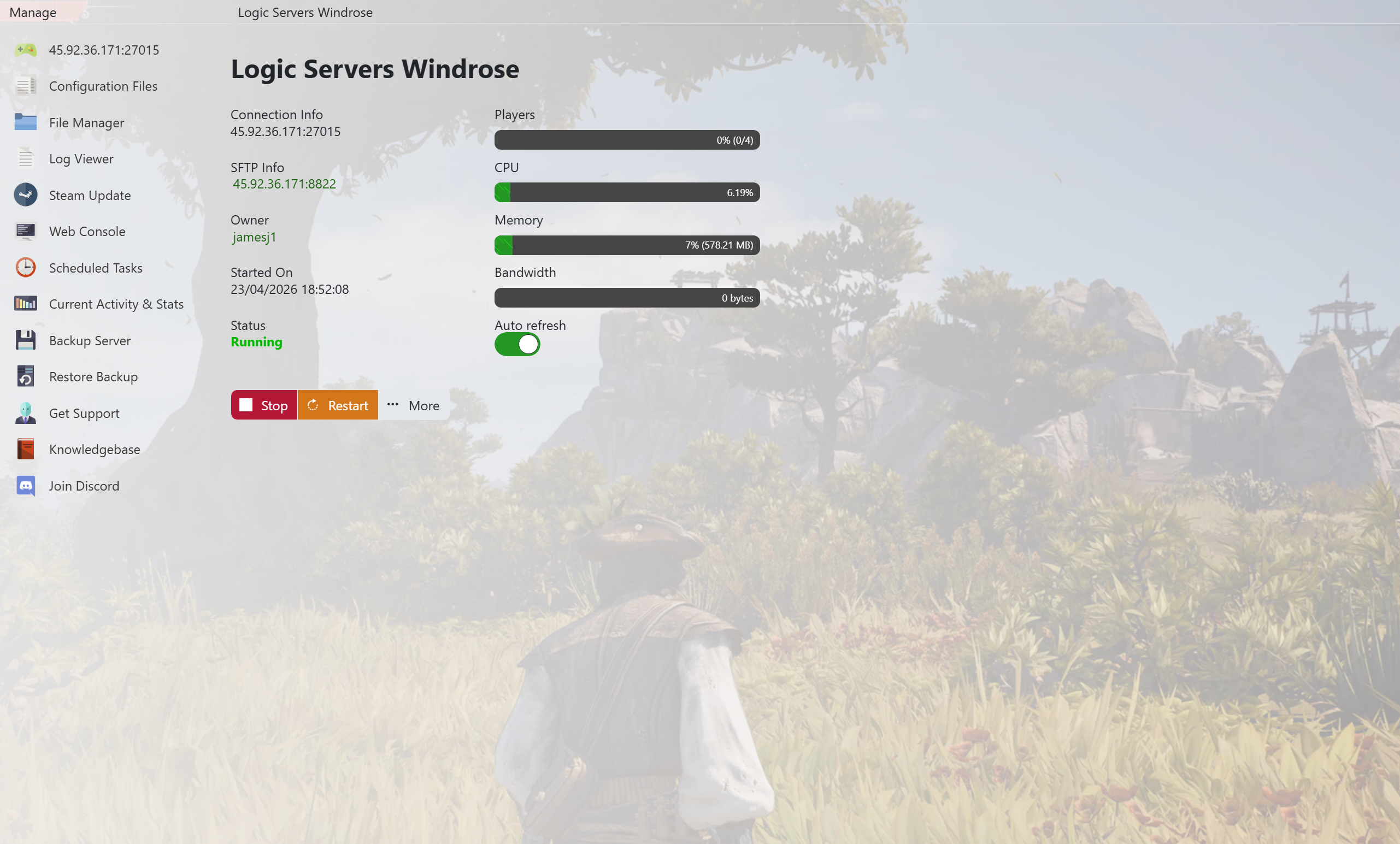
- When you purchased your Windrose server with us you will have been sent your login details via email. Use those details to login to your TCAdmin control panel. When you are logged into your panel you will see various options available to you. From here you can control your server. If you do not have a server with us you can get one here - https://logicservers.com/game-servers/windrose
- Stop your server (Optional):

- You can stop your server before you make a backup. This is purely optional though. Press the STOP button on your panel if you want to stop it.
- Manually backup your server:

- Simply press the backup button located on the left hand menu as shown in the image.
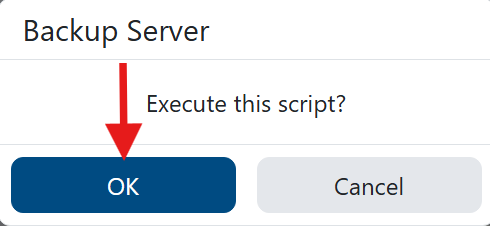
- At the prompt press the OK button to confirm you want to run the backup . This will backup your server’s save files and config.
Our system will pack up all your server’s save files and keep them safe on our remote backup service, just to be extra safe. Once the backup's done, if you stopped your server, hit start to get back into the game.
Why Backups Matter
Backups are your safety net. They let you try new things, edit settings, or update your game without worrying. If something doesn’t go as planned, you can always go back to how things were and start again. It’s all about making sure you can keep exploring the seas and building in Windrose without losing a step.


