Create a DayZ backup before installing mods, changing maps, editing economy files, changing serverDZ.cfg, or running Steam Update. A backup gives you a restore point if the server stops starting or a world/economy edit behaves badly.

  1. Open your DayZ server in the control panel.
  2. For the cleanest backup, stop the server first.
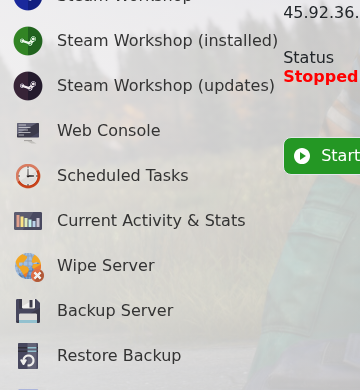
  3. Click Backup Server.

    DayZ control panel showing Backup Server

  4. Wait for the backup task to complete before making changes.
  5. Start the server again if you stopped it.

  • 0 Utilisateurs l'ont trouvée utile
Cette réponse était-elle pertinente?

Articles connexes

Changing the map to Livonia on your DayZ:Standalone Server

DayZ map selection is controlled from serverDZ.cfg. Use the Config Editor map dropdown when...

Admin commands for your DayZ: Standalone Server

DayZ does not have a normal in-game owner console like some survival games. Server administration...

How to install the workshop map Namalsk Survival on your DayZ: Standalone Server

Namalsk requires the official Namalsk Island terrain Workshop item and the official Namalsk...

How to disable idle on loot when no one is online on your DayZ Game Server

DayZ idle mode settings are stored in the active mission database file globals.xml. Change these...

How install DZSA Launcher on your DayZ server

DZSA Launcher support is added with the server-side DZSA/DZSAL package, usually named...