Restore a DayZ backup when you need to roll the server back after a failed mod install, broken map change, economy-file edit, or unwanted wipe. Restoring replaces the current server files with the selected backup.

  1. Open your DayZ server in the control panel.
  2. Stop the server.
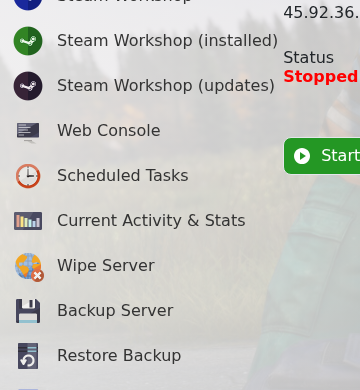
  3. Click Restore Backup.

    DayZ control panel sidebar showing Restore Backup

  4. Select the backup file you want to restore.
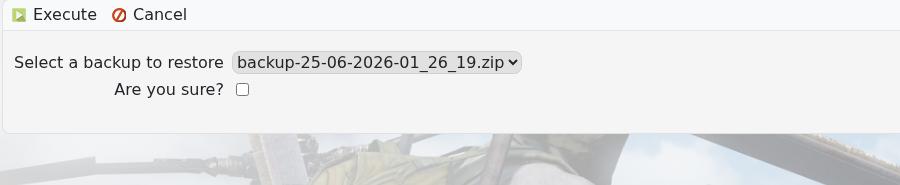
    DayZ Restore Backup form showing backup dropdown

  5. Tick Are you sure?, then click Execute.
  6. Wait for the restore to finish, then start the server.

If you are unsure which backup to restore, submit a support ticket before overwriting the current files.


  • 0 用戶發現這個有用
這篇文章有幫助嗎?

相關文章

Changing the map to Livonia on your DayZ:Standalone Server

DayZ map selection is controlled from serverDZ.cfg. Use the Config Editor map dropdown when...

Admin commands for your DayZ: Standalone Server

DayZ does not have a normal in-game owner console like some survival games. Server administration...

How to install the workshop map Namalsk Survival on your DayZ: Standalone Server

Namalsk requires the official Namalsk Island terrain Workshop item and the official Namalsk...

How to disable idle on loot when no one is online on your DayZ Game Server

DayZ idle mode settings are stored in the active mission database file globals.xml. Change these...

How install DZSA Launcher on your DayZ server

DZSA Launcher support is added with the server-side DZSA/DZSAL package, usually named...