On this DayZ service, BattlEye RCON access is configured by setting the RCon Password in BEServer_x64.cfg. There is not a separate enable/disable toggle exposed in the Config Editor; treat this guide as the RCON password and access setup.

  1. Open your DayZ server in the control panel.
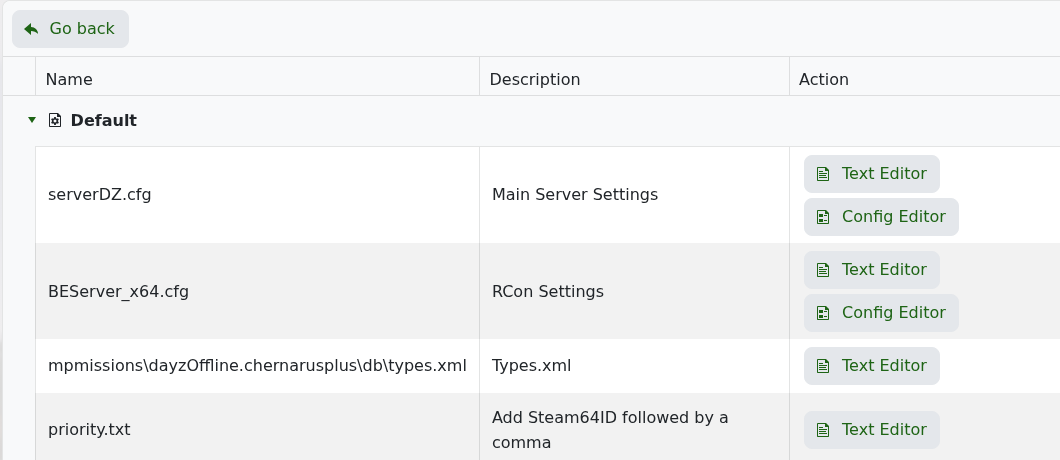
  2. Click Configuration Files.
  3. Open BEServer_x64.cfg with Config Editor.

    DayZ Configuration Files showing BEServer_x64.cfg

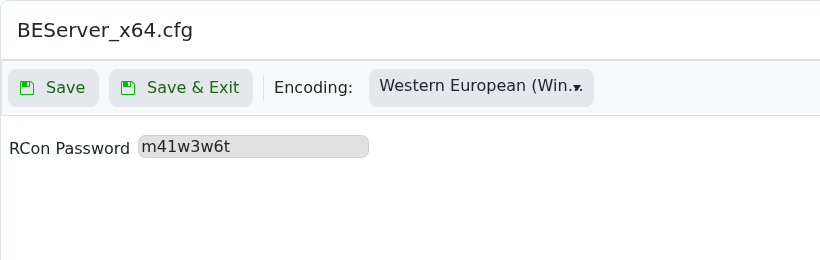
  4. Enter a strong RCon Password.

    DayZ BEServer_x64.cfg Config Editor showing RCon Password

  5. Click Save & Exit, then restart the server.
  6. Connect from a compatible BattlEye/DayZ RCON client using the server IP, the RCON port shown on the service home page, and the password you set.

Keep the RCON password private. Anyone with the RCON address and password can run administrative commands.


  • 0 utilizatori au considerat informația utilă
Răspunsul a fost util?

Articole similare

Changing the map to Livonia on your DayZ:Standalone Server

DayZ map selection is controlled from serverDZ.cfg. Use the Config Editor map dropdown when...

Admin commands for your DayZ: Standalone Server

DayZ does not have a normal in-game owner console like some survival games. Server administration...

How to install the workshop map Namalsk Survival on your DayZ: Standalone Server

Namalsk requires the official Namalsk Island terrain Workshop item and the official Namalsk...

How to disable idle on loot when no one is online on your DayZ Game Server

DayZ idle mode settings are stored in the active mission database file globals.xml. Change these...

How install DZSA Launcher on your DayZ server

DZSA Launcher support is added with the server-side DZSA/DZSAL package, usually named...