Valguero combines several ARK biome styles in one DLC map, including an Aberration-style underground zone and large buildable regions. The server needs the Valguero_P map value selected before restart.

  1. Back up the server before changing the active map: Backing up and restoring world and player data on your ARK server.
  2. Open the ARK service in TCAdmin.
  3. Click Commandline Manager.

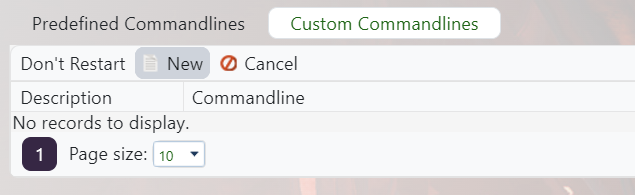
    ARK control panel custom command line button and new command line flow

  4. Set up a Valguero command line, or edit the selected one if the server should always run Valguero: Creating a custom command line on your ARK server.
  5. Tick Map, then enter Valguero_P exactly.

    ARK Custom Commandline Map field showing Valguero_P

  6. Save the command line, select it, and restart the server.

Valguero uses the Valguero_P startup value, not just Valguero. Copy it exactly to avoid booting the wrong map.


  • ARK, dlc, valguero, Enable
  • 22 Users Found This Useful
Was this answer helpful?

Related Articles

Updating to the latest ARK patch

Use Steam Update when ARK releases a server update. Take a backup first if you are also changing...

How to run ARK ScorchedEarth DLC on your server

Scorched Earth changes the server into ARK's desert-focused DLC map, with heat, storms,...

ARK cross-server gateway travel using multiple servers in a cluster

Note: for servers purchased before 16/09/2016 (16th September 2016) please send in a support...

How to disable Battleye on an ARK server

BattlEye can be disabled from the ARK server startup options when you need to troubleshoot...

How to upload a single player world onto your ARK server

You can upload an ARK single-player save by copying the local save files from your PC into the...