
ARK admin access lets you run server commands, spawn items or dinos, save the world, broadcast messages, and manage players. You can use the admin password with enablecheats, or add trusted SteamID64 values to AllowedCheaterSteamIDs.txt so those players are always recognised as admins.
- Find your SteamID64 if you want permanent admin access: How to find your personal Steam ID64 number.
- Open your ARK server in the control panel.
- Click Configuration Files.
- To whitelist permanent admins, open
AllowedCheaterSteamIDs.txtwith Config Editor or Text Editor.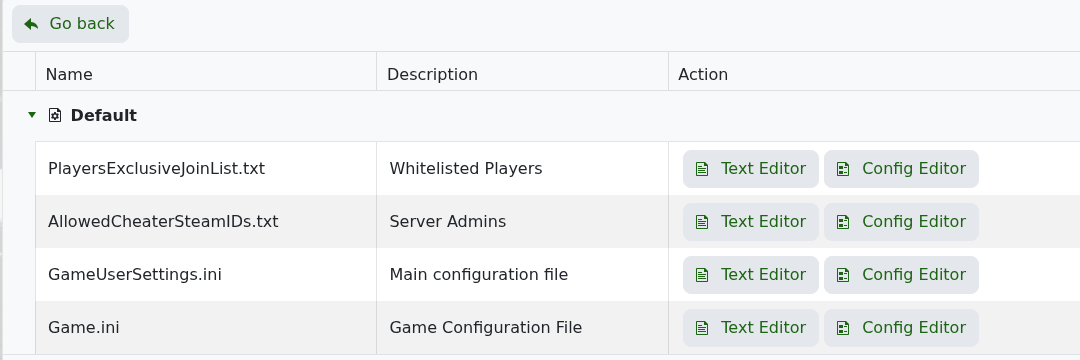
- Add one SteamID64 per line, then click Save & Exit.
- Restart the server so ARK loads the updated admin list.
- To use the admin password instead, join the server, open the in-game console, and run:
enablecheats YOURADMINPASSWORD - Most admin commands then use
admincheat, for example:admincheat SaveWorld admincheat Broadcast Server restart in 10 minutes admincheat DestroyWildDinos
Use permanent admin SteamID64 entries for trusted staff. Use the admin password for temporary access, and change it if it has been shared too widely.


