
You can join an ARK: Survival Evolved server from the in-game server browser or by adding the server to Steam favourites. The easiest method is usually to copy the connection details from your control panel, then search for the server name in ARK's unofficial server list.
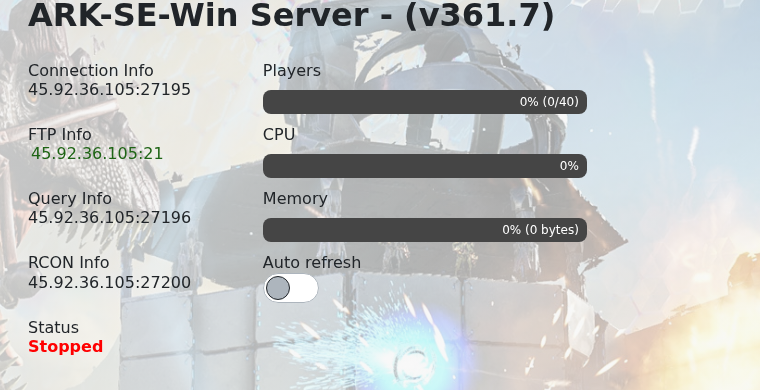
- Open your ARK server in the control panel and copy the Connection Info and Query Info from the home page.
- Launch ARK: Survival Evolved and click Join ARK from the main menu.

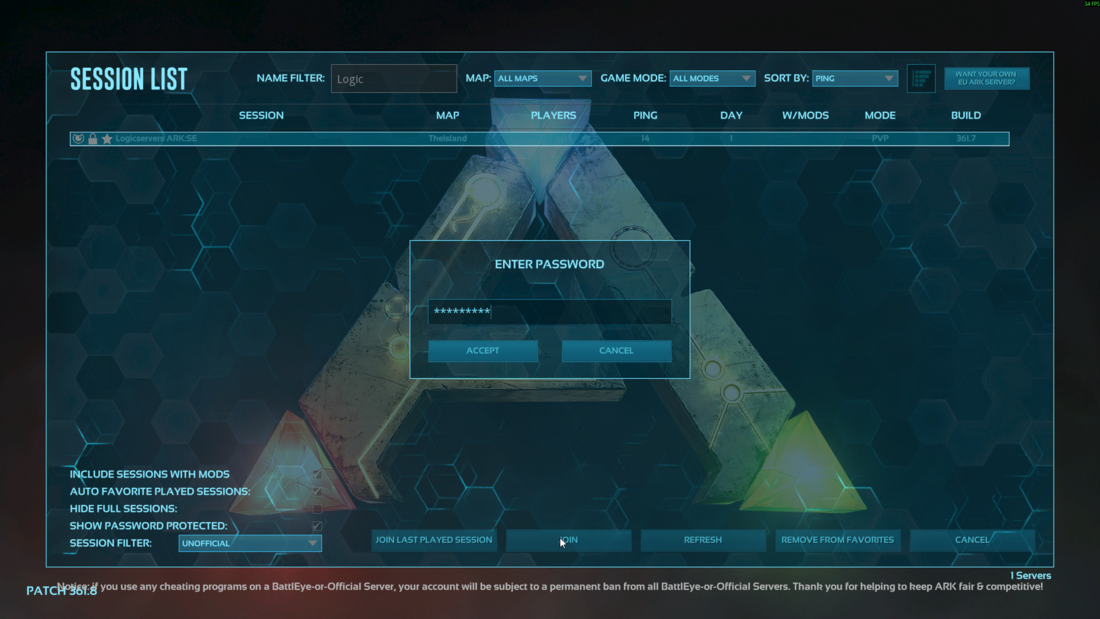
- Set the session filter to Unofficial, make sure password-protected servers are shown if your server uses a password, then search for your server name.
- Select your server from the filtered list. In this example, the server appears when searching for
Logic.
- Click Join.
- If the server has a password, enter it when prompted, then click Accept.
- Wait for ARK to load the map and finish connecting.
If the server does not appear in the ARK browser, refresh the list, confirm the server is online, and try adding it through Steam Game Servers using the Query port from the control panel.


