
You can join an ARK: Survival Evolved server from the in-game server browser or by adding the server to Steam favourites. The easiest method is usually to copy the connection details from your control panel, then search for the server name in ARK's unofficial server list.

  1. Open your ARK server in the control panel and copy the Connection Info and Query Info from the home page.
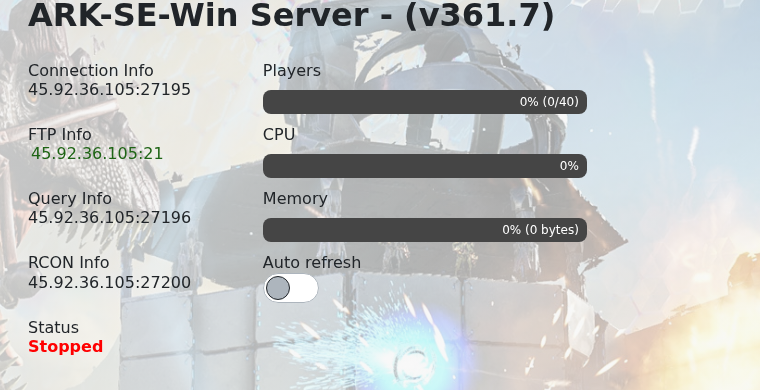
    ARK control panel Connection Info and Query Info

  2. Launch ARK: Survival Evolved and click Join ARK from the main menu.

    ARK main menu with Join ARK selected

  3. Set the session filter to Unofficial, make sure password-protected servers are shown if your server uses a password, then search for your server name.
  4. Select your server from the filtered list. In this example, the server appears when searching for Logic.

    ARK session list filtered to show the server

  5. Click Join.
  6. If the server has a password, enter it when prompted, then click Accept.
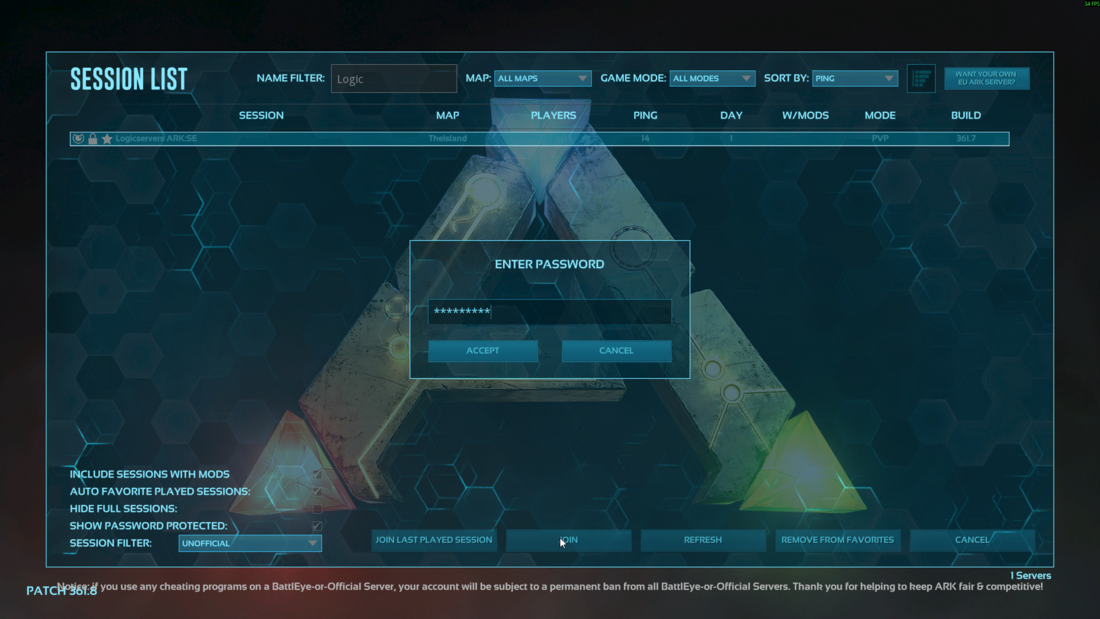
    ARK server password prompt

  7. Wait for ARK to load the map and finish connecting.

If the server does not appear in the ARK browser, refresh the list, confirm the server is online, and try adding it through Steam Game Servers using the Query port from the control panel.


  • joining, connecting, server
  • 187 utilizatori au considerat informația utilă
Răspunsul a fost util?

Articole similare

Updating to the latest ARK patch

Use Steam Update when ARK releases a server update. Take a backup first if you are also changing...

How to run ARK ScorchedEarth DLC on your server

Scorched Earth changes the server into ARK's desert-focused DLC map, with heat, storms,...

ARK cross-server gateway travel using multiple servers in a cluster

Note: for servers purchased before 16/09/2016 (16th September 2016) please send in a support...

How to disable Battleye on an ARK server

BattlEye can be disabled from the ARK server startup options when you need to troubleshoot...

How to upload a single player world onto your ARK server

You can upload an ARK single-player save by copying the local save files from your PC into the...
