
The world seed only matters when your 7 Days to Die server is generating a random world. If you are using Navezgane or a PREGEN map, the seed is not what controls the map layout.
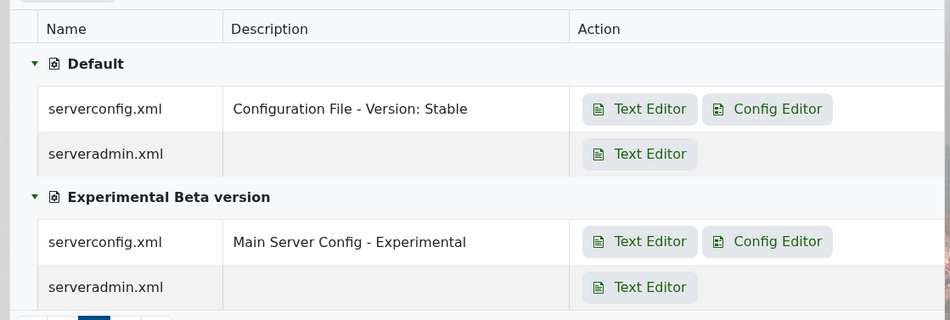
Open Configuration Files in your control panel, then edit serverconfig.xml with the Text Editor.
In the world section, set GameWorld to RWG, then change WorldGenSeed. You can also adjust WorldGenSize here.
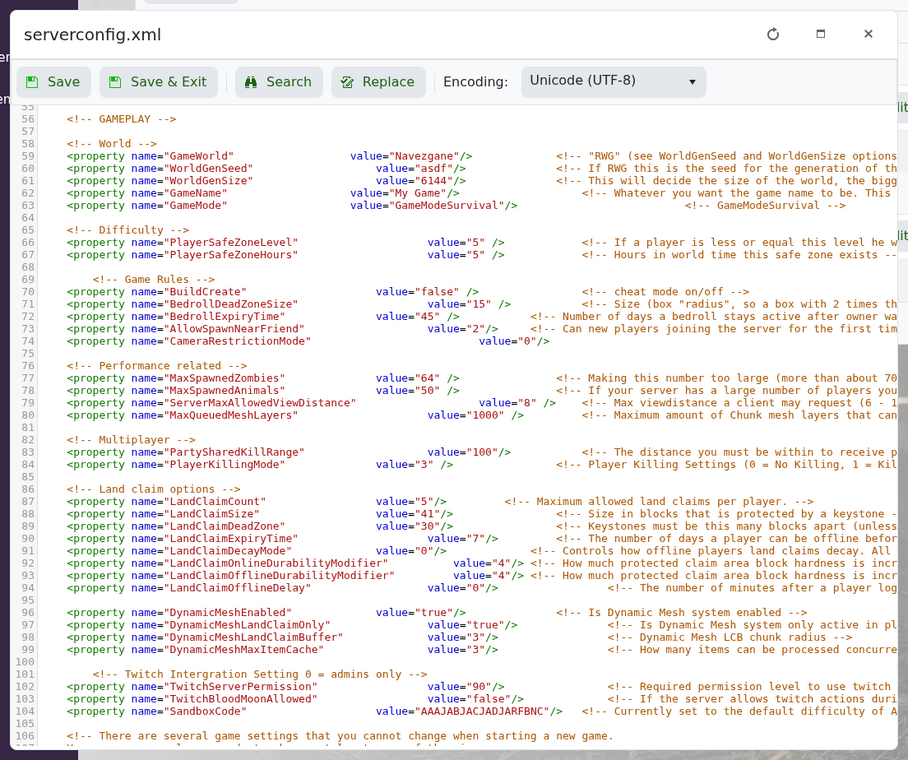
Example:
<property name="GameWorld" value="RWG"/>
<property name="WorldGenSeed" value="MyNewSeed"/>
<property name="WorldGenSize" value="6144"/>
Changing the seed does not always replace an existing save. If the server already has a generated world using the same save name, it may load that existing world again. To force a fresh generation, change GameName or wipe the old world data after taking a backup.
The first start after changing random generation settings can take longer than normal while the world is created.


