
Creative mode and debug tools are useful for testing, building, or fixing problems, but they should only be available to trusted admins. Do not leave these enabled on a public server unless you know exactly who has access.


First, make sure the player is an admin. If they are not, add them through serveradmin.xml using the admin guide.


Next, open Configuration Files in your control panel and edit serverconfig.xml.
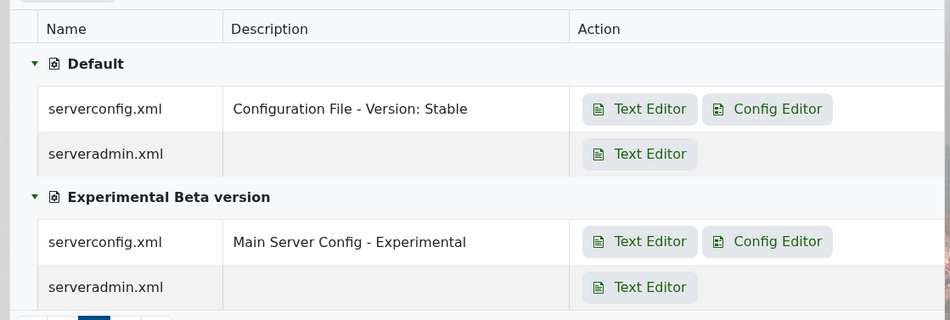
 

7 Days to Die Configuration Files


Scroll to the game rules section and find BuildCreate.
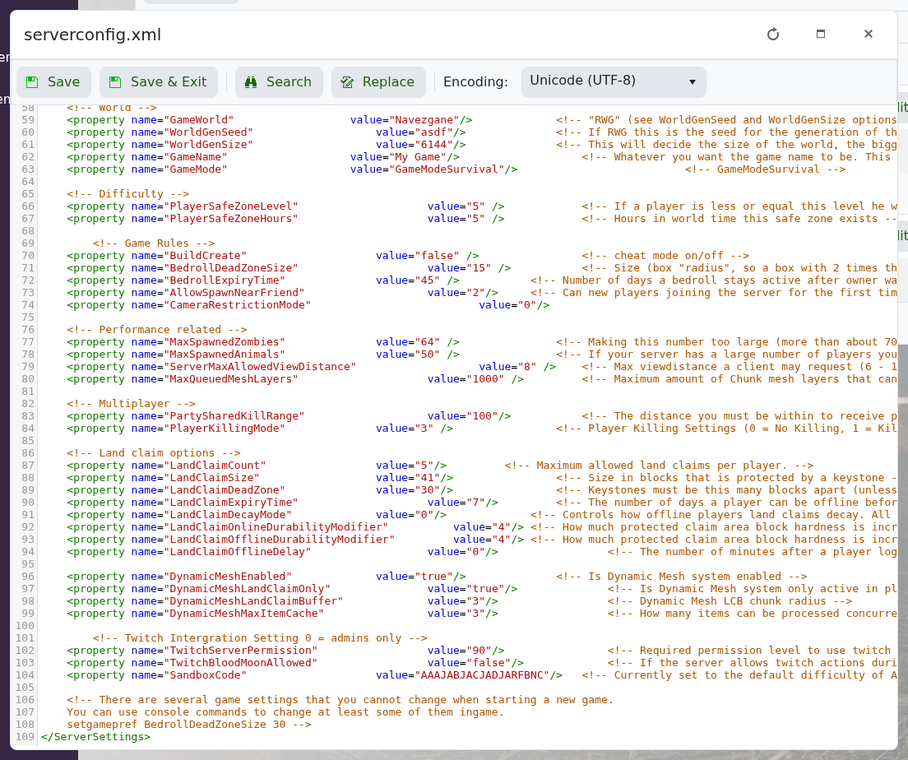
 

BuildCreate setting for 7 Days to Die creative tools


Set it to true:

<property name="BuildCreate" value="true" />

Save the file and restart the server.


In-game, an admin can open the console and use:

cm

This toggles the creative menu.


Debug mode can be toggled with:

dm


When you are finished, set BuildCreate back to false and restart the server again.

  • 0 brukere syntes dette svaret var til hjelp
Var dette svaret til hjelp?

Relaterte artikler

How to join your 7 Days to Die server

You can join your 7 Days to Die server using the connection details shown on your control panel....

Enabling a whitelist on your 7D2D server

A whitelist lets you control who can join your 7 Days to Die server. Like admins, whitelist...

How to wipe your 7D2D world

Wiping data from your server: Log into your control panel Click on the service you want to...

Reinstalling your 7 Days to Die server

To reinstall your 7 days to die server, click onto the actions tab, then click reinstall. Done!  

How to install Oxide and Oxide Plugins

Login to your control panel. Stop your server and install Oxide using your mod manager....

