
This guide shows how to install or update Minecraft Bedrock from the control panel. If you do not already have a server, you can get Minecraft server hosting from our website.
Before changing the server type or installing an update, stop the server and take a backup. Updates and reinstalls can change files on the server, so keep a backup of anything you want to save.
Install Bedrock
- Open your Minecraft server in the control panel.
- Open Settings, then under Change Game / Egg select Bedrock and click Switch.
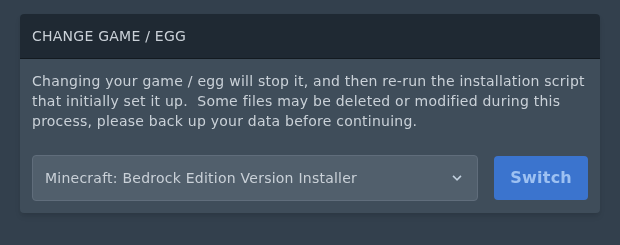
- If you are changing from Java Edition or another server type and want a fresh Bedrock install, use Reinstall Server after switching the egg. Only use the Delete files option if you want to wipe the server.
Your server is now set to run Bedrock. If you used Reinstall Server, wait for it to finish before starting the server.
Update Bedrock
- Open the Bedrock installer page.
- Find the Bedrock card and click the install icon on the right.
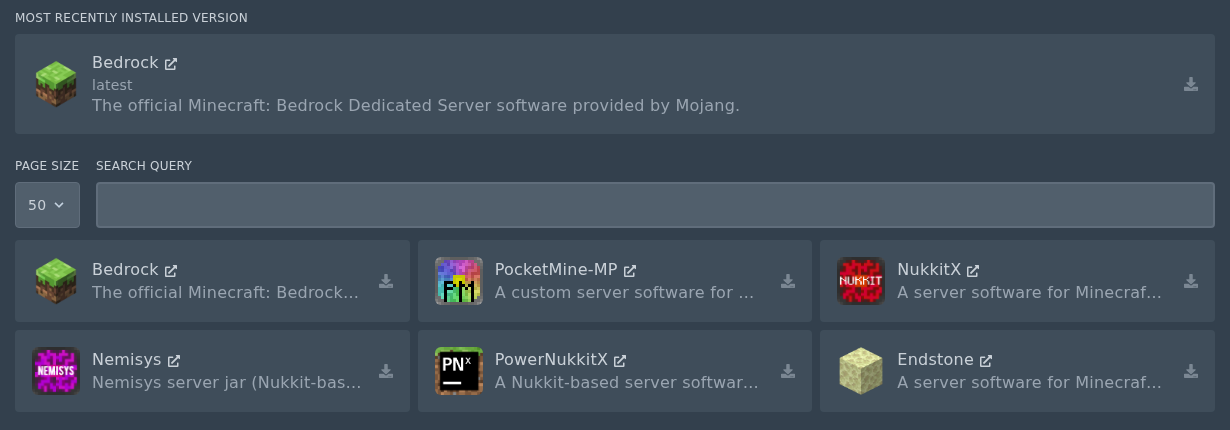
- Select the Release version you want to install, then click Install software.
Do not check the Delete files box unless you want to wipe your server.
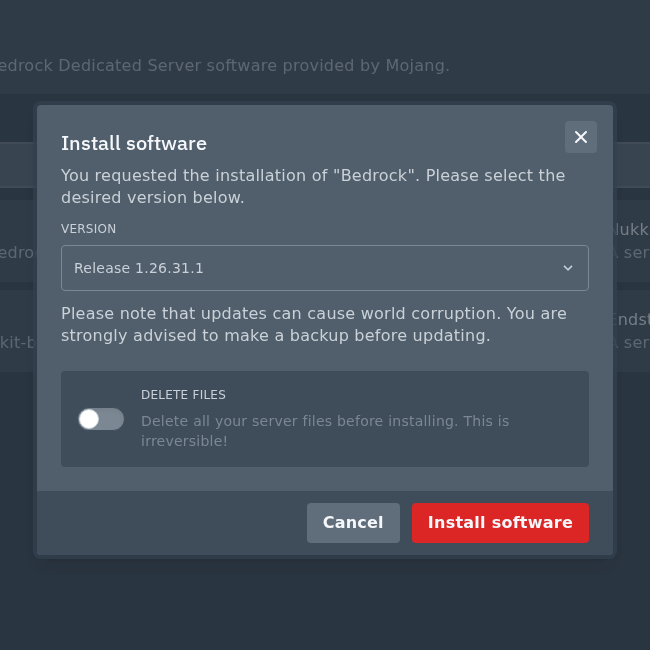
After the installer finishes, the server will use the Bedrock version you selected.


