
OP gives a Minecraft player operator permissions, which lets them run server commands in game. Only give OP to players you trust, as operators can use powerful commands such as changing gamemodes, teleporting players, giving items, or managing other players.

Use Console

  1. Start the server, then open Console in the control panel.
  2. To make a player OP, enter the command below. Replace PlayerName with the player's exact Minecraft username:
    op PlayerName
  3. To remove OP permissions from a player, enter:
    deop PlayerName

You can also edit ops.json while the server is stopped, but using Console is usually quicker and avoids formatting mistakes.
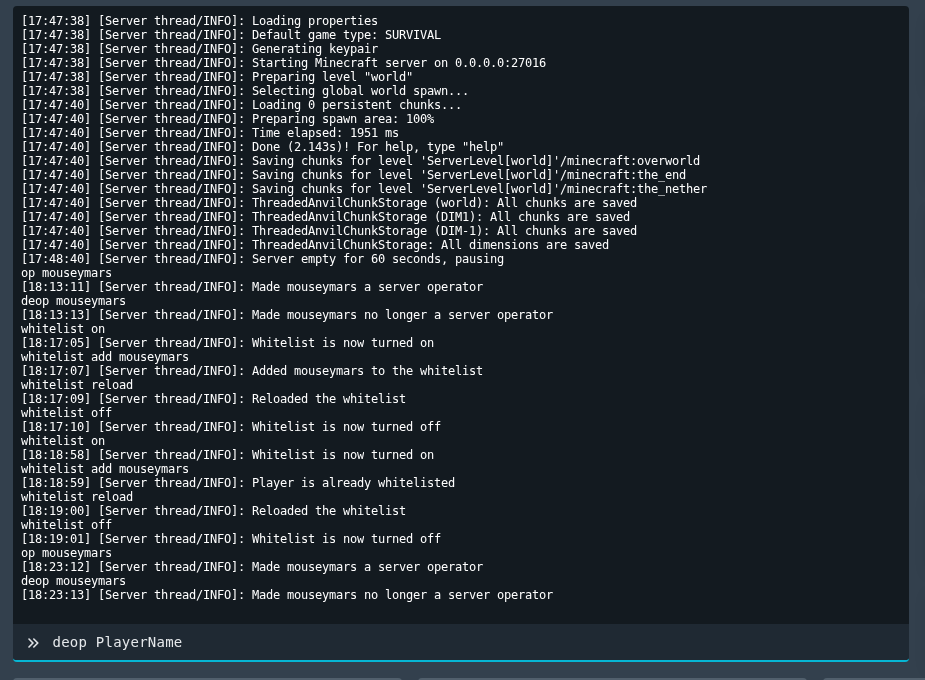

Minecraft OP and de-op commands shown in the Ptero console

  • 0 Uživatelům pomohlo
Byla tato odpověď nápomocná?

Související články

Colour Codes for Minecraft Multiplayer and Vanilla

This article lists all of the codes you can use with many plugins in Minecraft using Spigot or...

What is the difference between Fabric, Quilt and Forge in Minecraft Modding

Exploring the Distinctions Between Fabric and Forge When diving into the exciting world of...

What is a Grindstone and how is it used?

In this guide, we will teach you what the Grindstone in Minecraft does, and how to use it...

How to Convert Java and Bedrock Edition Worlds

In this guide, we’ll be teaching you how to convert your world from a Java Edition world to a...

Minecraft's New Version Numbers

Minecraft has changed how its version numbers work from 2026 onwards. Instead of carrying on with...

