
BungeeCord is a proxy for linking multiple Minecraft Java servers together. It does not run a normal survival world by itself; players connect to BungeeCord, then BungeeCord sends them to your backend Minecraft servers.
Install BungeeCord
- Open the server you want to use as the proxy and stop it.
- Take a backup if the server has files you need to keep.
- Open Versions and find BungeeCord.
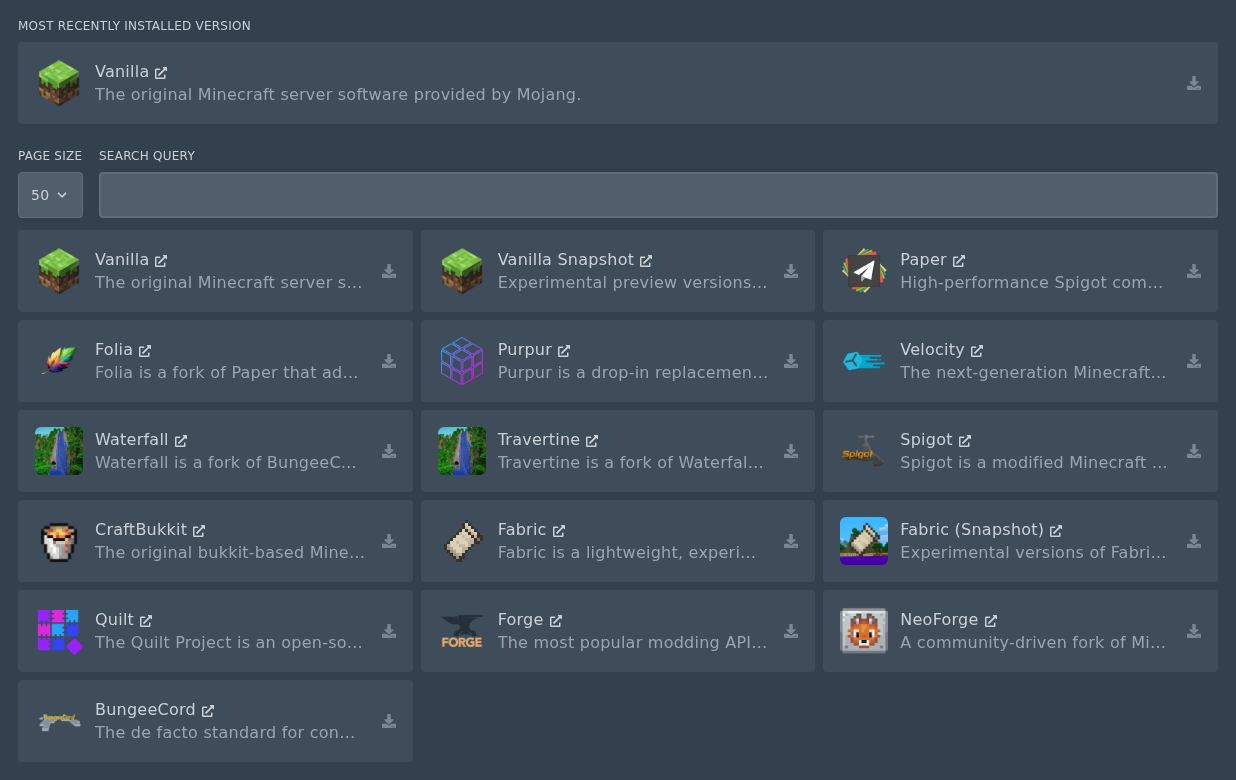
- Click the install icon on the right, then install the version you want to use.
- Do not check the Delete files box unless you want to wipe the server.
Connect your backend servers
After BungeeCord has installed, edit its config and add the backend Minecraft servers you want it to send players to. Those backend servers are usually Paper or Spigot servers, not more BungeeCord servers.
If you are using online-mode forwarding, make sure your backend server settings match the proxy setup you are using. A proxy setup can expose backend servers if it is configured badly, so ask support if you are not sure how your network should be arranged.


