
DayZ Frostline uses the official Sakhal map. On the server, the mission folder is dayzOffline.sakhal. Switch to it from serverDZ.cfg, then restart the server. Players need the Frostline DLC to join a Sakhal server.
- Open your DayZ server in the control panel.
- Click Backup Server before changing maps.
- Click File Manager, then open
mpmissionsand confirmdayzOffline.sakhalexists.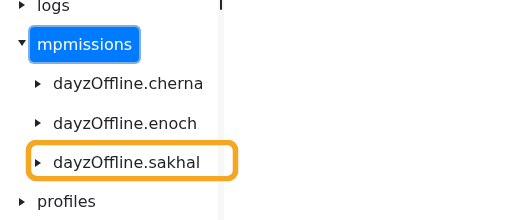
- If
dayzOffline.sakhalis missing, run Steam Update first, then checkmpmissionsagain. - Click Configuration Files.
- Open
serverDZ.cfgwith Config Editor. - Change Map to the Sakhal/Frostline option if it appears in the dropdown.
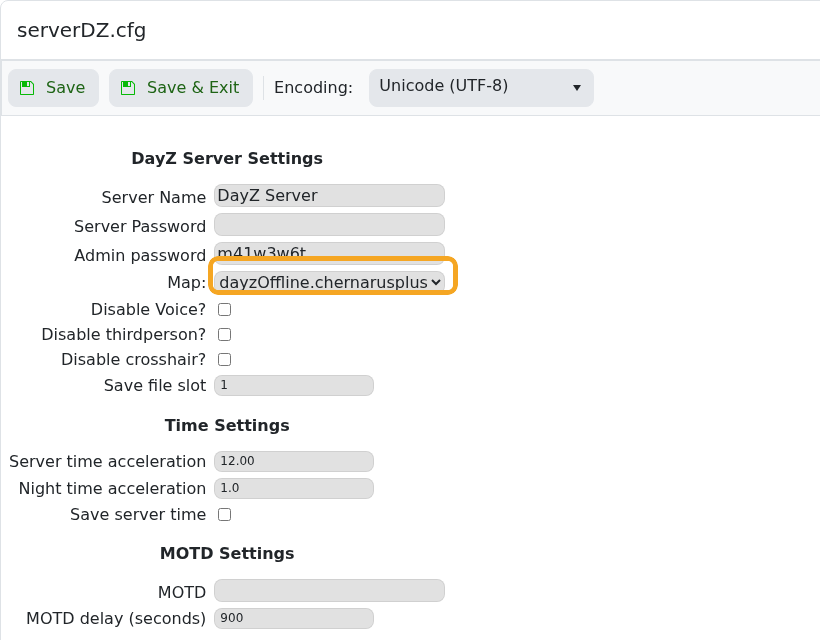
- If the dropdown does not show Sakhal, open
serverDZ.cfgwith Text Editor and set the mission template todayzOffline.sakhal. - Click Save & Exit, then restart the server.
Changing to Sakhal is a map change, so do not switch a live Chernarus or Livonia save without a backup. If players cannot join, confirm they own Frostline and that the server has restarted onto dayzOffline.sakhal.


