
Vein world balance settings such as time speed, loot difficulty, XP gain, base damage, and build decay are managed from Engine.ini. These settings are useful when you want a slower survival experience, faster progression, tougher loot rules, or different base-damage behaviour.
- Open your Vein server in the control panel.
- Take a backup first: How to Backup your Vein Server.
- Click Configuration Files.
- Find
Engine.ini, then click Config Editor.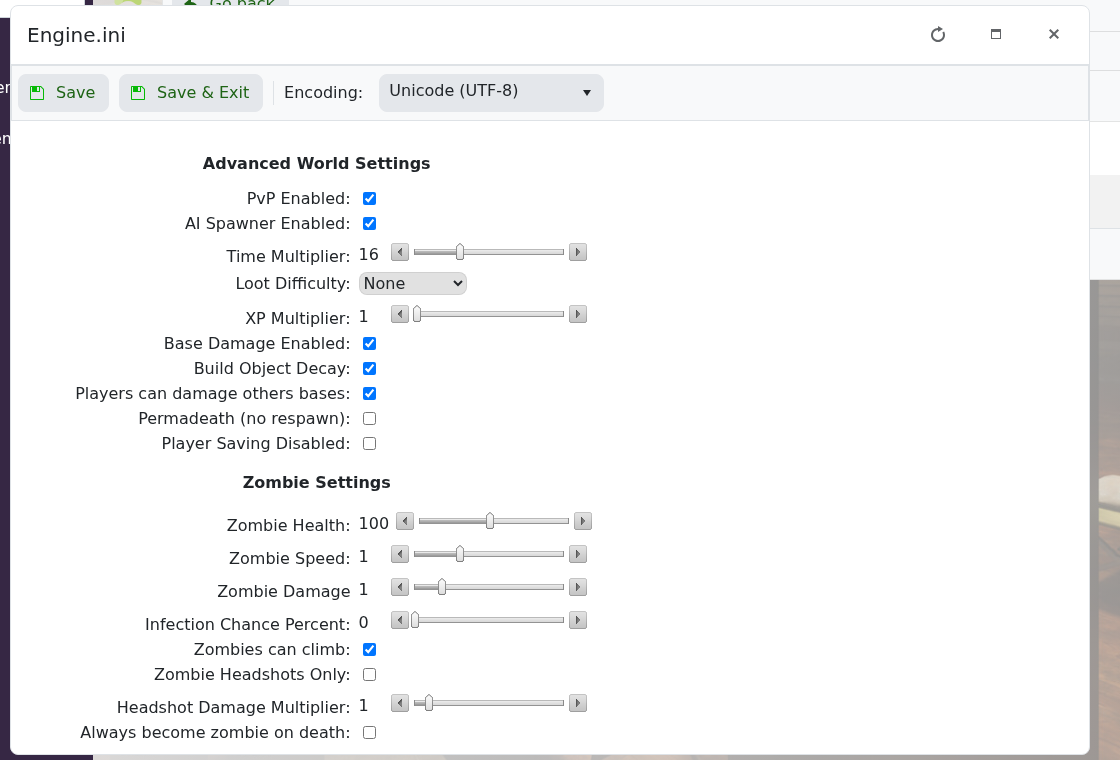
- Use the Advanced World Settings section to change time, loot, XP, base damage, and build settings.
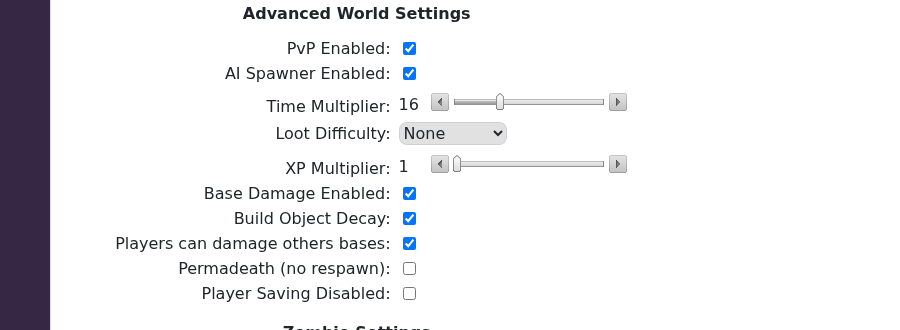
- Click Save & Exit.
- Restart the server so Vein loads the updated values.
| Setting | What it changes |
|---|---|
| Time Multiplier | How quickly time passes on the server. |
| Loot Difficulty | How loot difficulty is handled by the game. |
| XP Multiplier | How quickly players earn experience. |
| Base Damage Enabled | Controls whether bases can take damage. |
| Build Object Decay | Controls whether placed objects decay over time. |
| Players can damage others bases | Controls whether players can damage other players' bases. |
| Permadeath | Controls no-respawn behaviour when enabled. |
| Player Saving Disabled | Controls whether player saving is disabled. |
For server balance changes, change one or two values at a time and test them before changing more. This makes it easier to reverse a setting if it has a bigger effect than expected.


