Your ARK server name is shown in the Steam and in-game server browsers. On this panel, the server name is normally set from the command line or startup options rather than only inside the config file.

  1. Open your ARK server in the control panel.
  2. Click Commandline Manager.

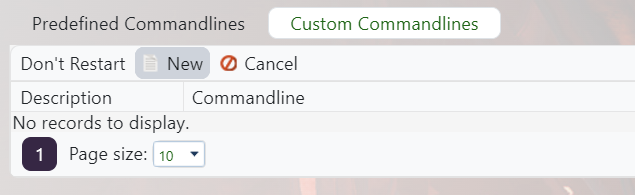
    ARK control panel custom command line button and new command line flow

  3. Edit your selected command line, or create a custom command line if you need one: Creating a custom command line on your ARK server.
  4. Tick the checkbox next to Server Name, then set the name you want players to see.

    ARK Custom Commandline Server Name field

  5. Save the command line, select it if needed, then restart the server.

If the old name still appears in Steam, refresh the server browser after a few minutes. Steam listings can cache the previous name briefly.


  • Change, server, Name, session, host
  • 57 användare blev hjälpta av detta svar
Hjälpte svaret dig?

Relaterade artiklar

Updating to the latest ARK patch

Use Steam Update when ARK releases a server update. Take a backup first if you are also changing...

How to run ARK ScorchedEarth DLC on your server

Scorched Earth changes the server into ARK's desert-focused DLC map, with heat, storms,...

ARK cross-server gateway travel using multiple servers in a cluster

Note: for servers purchased before 16/09/2016 (16th September 2016) please send in a support...

How to disable Battleye on an ARK server

BattlEye can be disabled from the ARK server startup options when you need to troubleshoot...

How to upload a single player world onto your ARK server

You can upload an ARK single-player save by copying the local save files from your PC into the...