
Factorio uses your Factorio username and server token when the server needs to authenticate with Factorio's multiplayer services. This is normally needed for public/listed servers.
Your token is linked to your Factorio account, so do not share it publicly.
Finding your Factorio token
- Go to factorio.com and log in to your Factorio account.
- If you own Factorio through Steam, make sure your Steam account is linked to your Factorio account.
- Open your Factorio profile page.
- Copy your Factorio username and server token.
Adding the token to your server
- Open your Factorio server in the control panel.
- Stop the server, then take a backup before changing configuration files.
- Click Configuration Files.
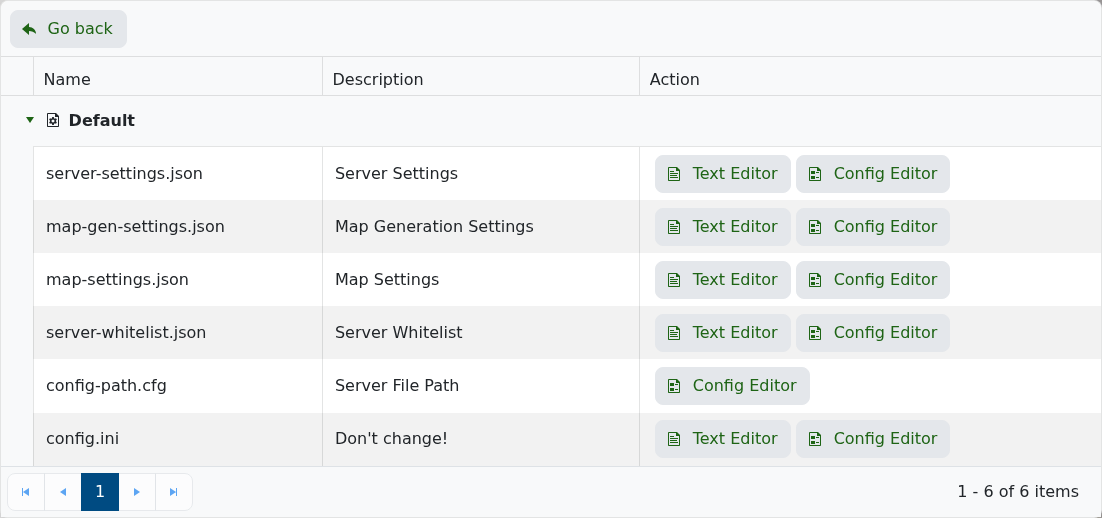
- Edit server-settings.json.
- Enter your Factorio username and token in the credential settings.
- Save the file, then start your server again.
If the server still does not show publicly, check the console for authentication errors and make sure the username/token were copied exactly.


