
Enshrouded server settings are managed in enshrouded_server.json. Use Config Editor for common settings such as server name, password, server tags, voice chat, text chat, and the game settings preset. These settings control how players find, join, and interact on the server.
Use Config Editor where possible because it reduces the chance of breaking the JSON formatting. If you need to change a setting that is not exposed in Config Editor, use Text Editor carefully and keep commas, quotes, and braces valid.
- Open your Enshrouded server in the control panel.
- Click Configuration Files.
- Find
enshrouded_server.json, then click Config Editor.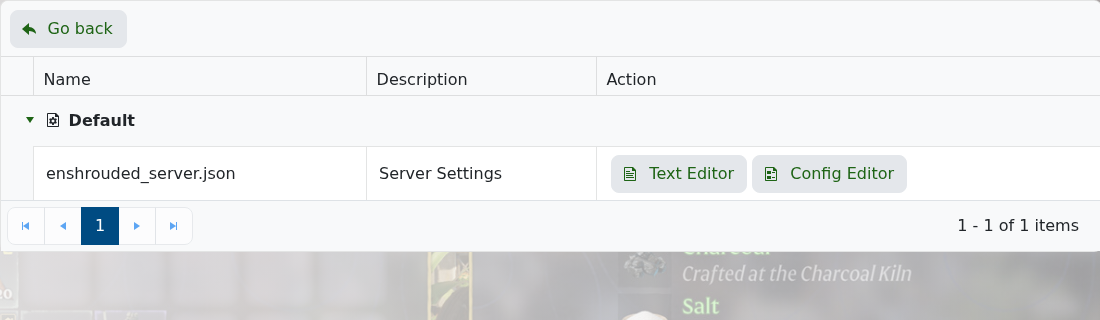
- Edit the settings you need.
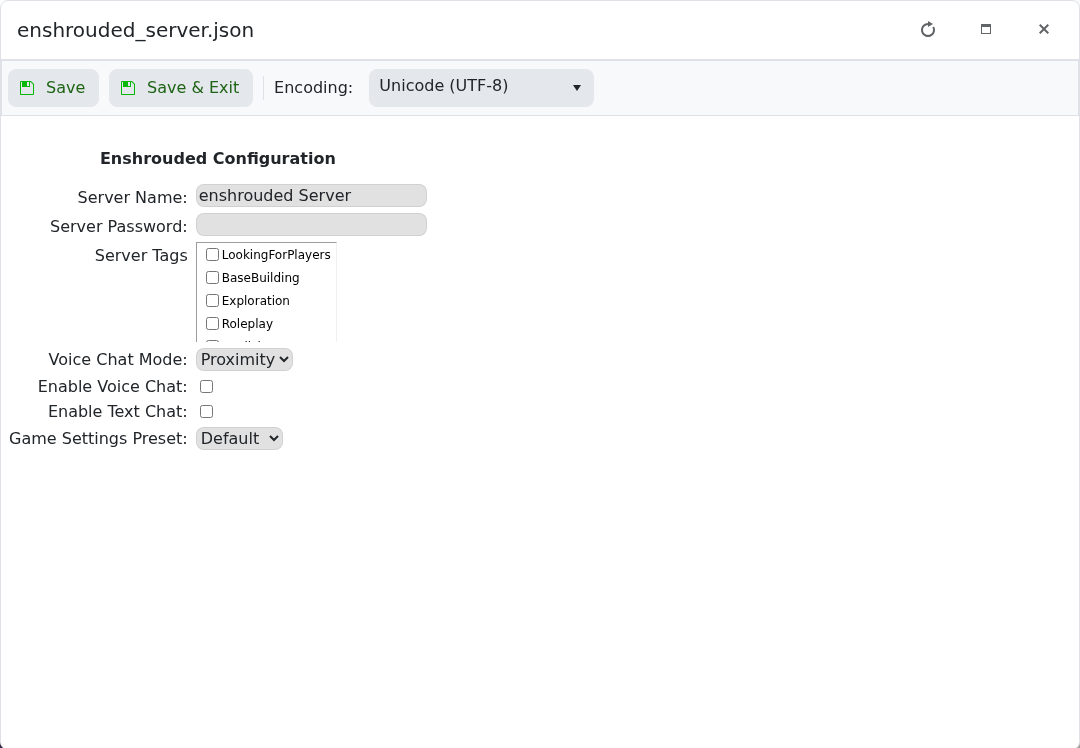
- Click Save & Exit.
- Restart the server so Enshrouded reloads the settings.
| Setting | What it changes |
|---|---|
| Server Name | The name shown for the server. |
| Server Password | The password players must enter before joining. |
| Server Tags | Tags such as looking for players, base building, exploration, or roleplay. |
| Voice Chat Mode | Controls how voice chat behaves on the server. |
| Enable Voice Chat | Turns in-game voice chat on or off. |
| Enable Text Chat | Turns in-game text chat on or off. |
| Game Settings Preset | Controls the game settings preset used by the server. |
Take a backup before large config changes: How to Backup Your Enshrouded Server. If the server fails to start after editing the file, re-open enshrouded_server.json and check the formatting, or restore the backup you created before making changes.


