View radius controls how far players can see, and how much of the world your server is actively sending to clients. Higher values look better, but they cost performance. If you are getting lag spikes or high CPU, lowering this is one of the first things to try.
This setting is stored in your main server config.json in the root of the server files.
- Go to the Hytale server you want to change, click the Files tab, then locate the main
config.jsonfile (in the root directory) and double click it to open.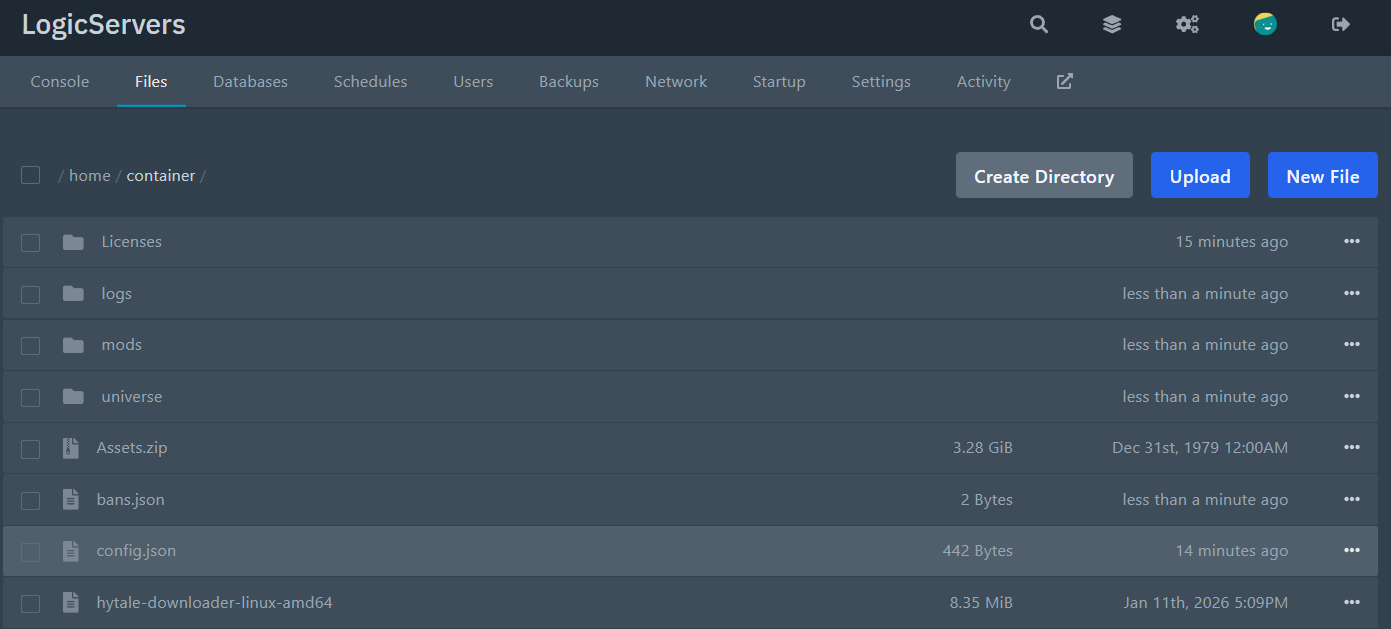
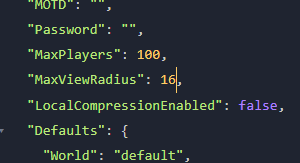
- Find the line for view radius:
"MaxViewRadius": 32, - Change the number to what you want. Example:
"MaxViewRadius": 16, - Save the file, then restart your server to apply the change.
NOTE: IF your server won't start, then JSON formatting is most-likely broken. Try running the file through a JSON validator online, or contacting our support to look.
