Game mode controls how players interact with your Hytale world. If you are building, you will usually want Creative. If you want a survival-style experience, stick with Adventure.
This is controlled from the main server config.json (root of your server files). World rules like PvP and fall damage are stored in the world config.json instead.
- Open your server in the control panel and click Files. In the root folder, find
config.jsonand double click it.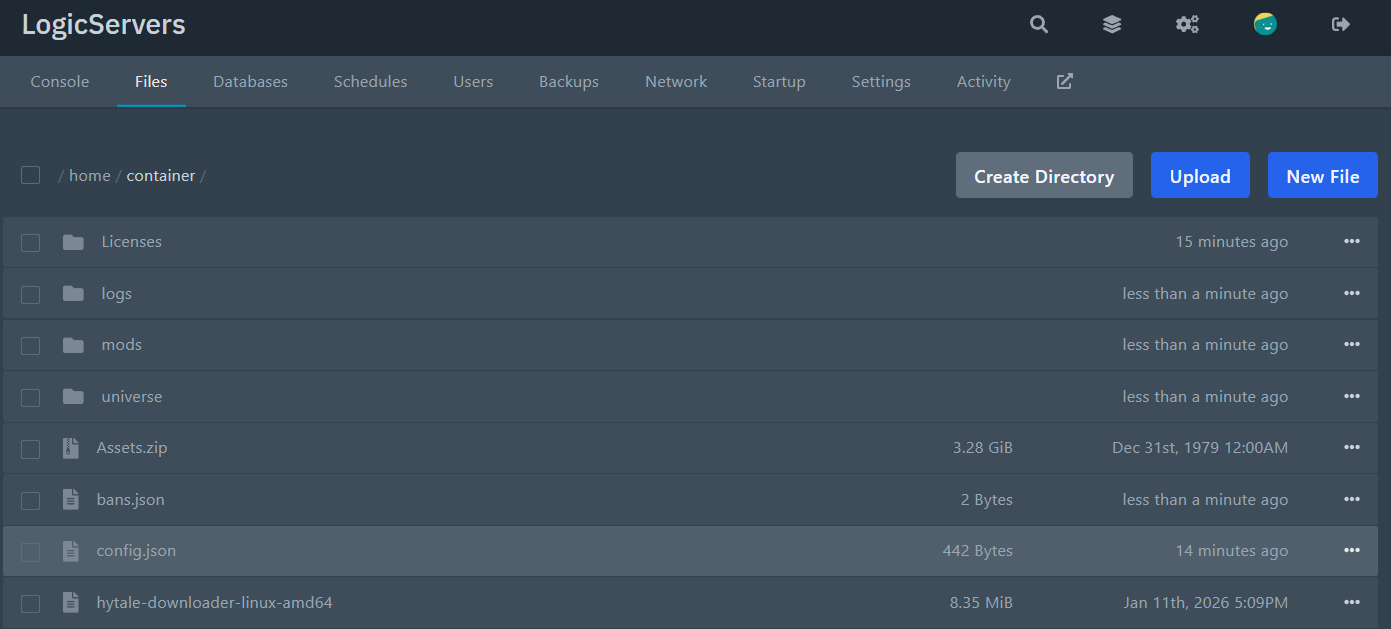
- Scroll to the
Defaultssection and locate the game mode line:"Defaults": { "World": "default", "GameMode": "Adventure" }, - Change the value to the mode you want. Example:
"GameMode": "Creative" - Save the file and restart the server to apply the change.
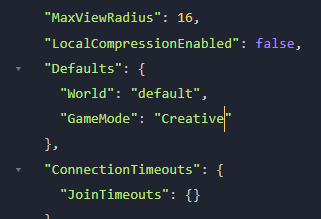
Hytale GameMode Options
| GameMode value | What it means | Best for |
Adventure |
Normal gameplay with progression, damage, and survival-style rules. | Public servers, progression servers, co-op play. |
Creative |
Building-focused mode with fewer restrictions. | Build servers, test worlds, creative communities. |
NOTE: If the server will not start after editing, the JSON is usually invalid because of a missing comma or quote. Undo the change and try again carefully. If you get stuck, contact support and we will take a look.
