
A password is useful if you want to keep your 7 Days to Die server private without using a full whitelist. Players will need the password before they can join.
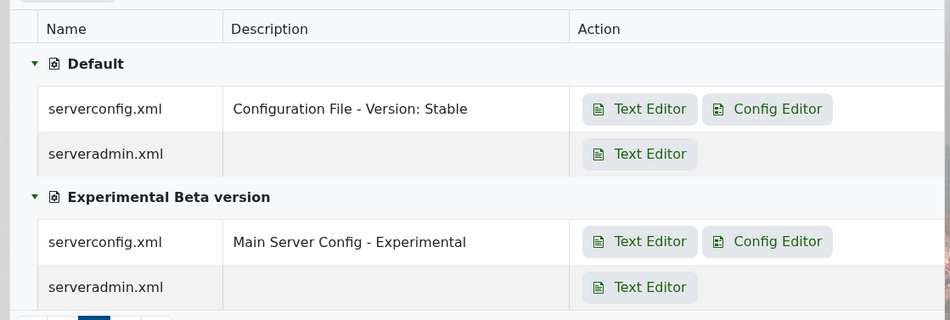
Open your 7 Days to Die service in the control panel, then go to Configuration Files. Open serverconfig.xml using the Text Editor.
Look for the ServerPassword line near the top of the file, just below the server name and website settings.
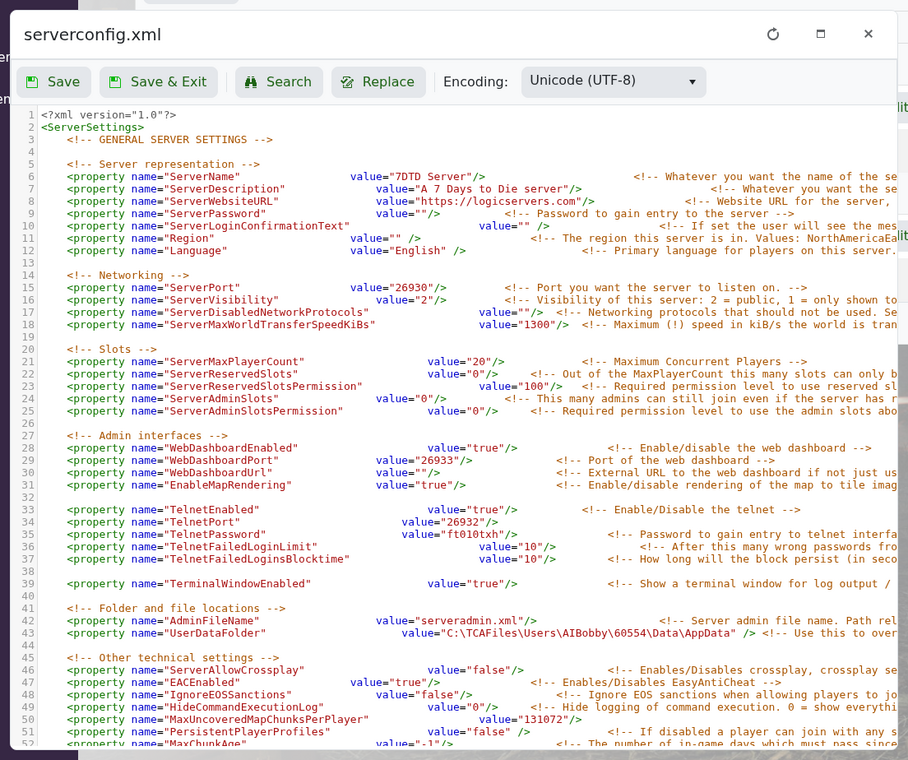
To set a password, enter it in the value:
<property name="ServerPassword" value="MyPasswordHere"/>
To remove the password, leave it blank:
<property name="ServerPassword" value=""/>
Save the file and restart the server. If players have trouble joining, try using a simple password without spaces or unusual characters.


