
A password is useful if you want to keep your 7 Days to Die server private without using a full whitelist. Players will need the password before they can join.


Open your 7 Days to Die service in the control panel, then go to Configuration Files. Open serverconfig.xml using the Text Editor.
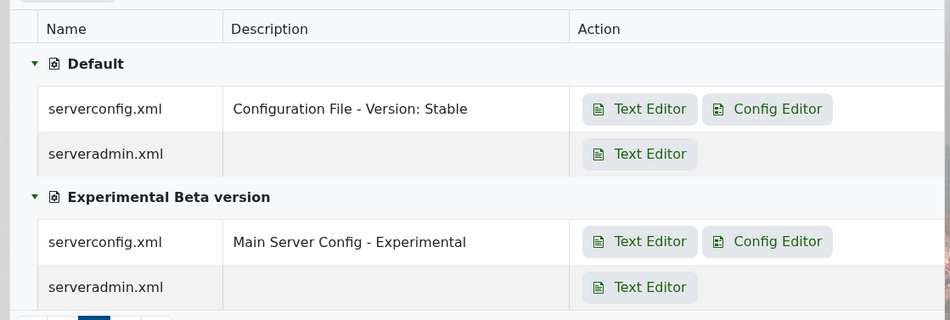
 

7 Days to Die Configuration Files page


Look for the ServerPassword line near the top of the file, just below the server name and website settings.
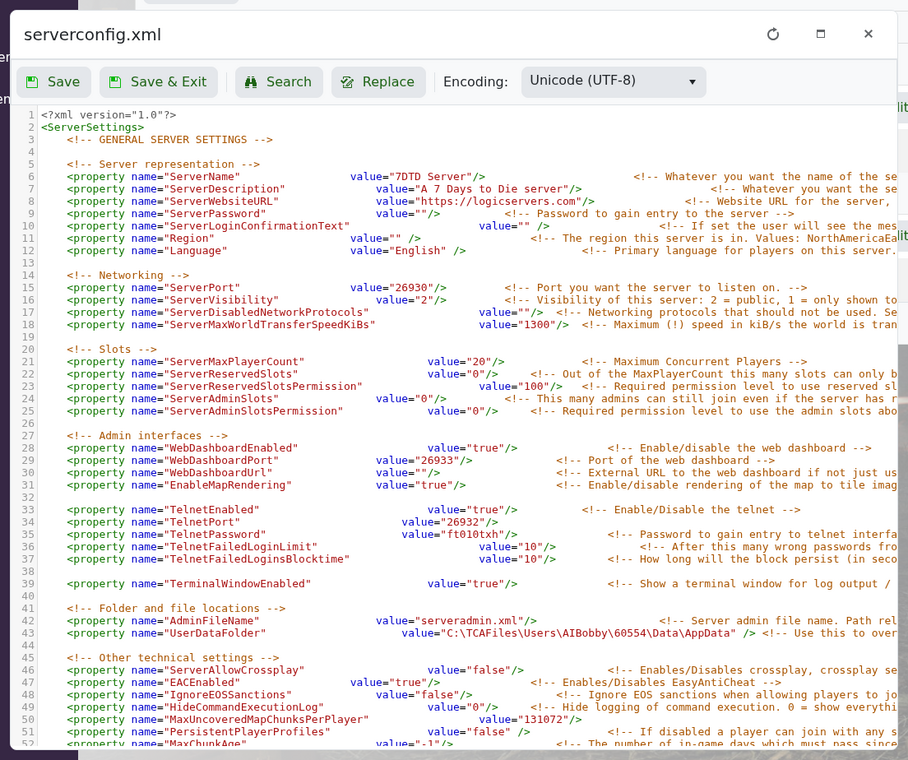
 

ServerPassword setting in serverconfig.xml


To set a password, enter it in the value:

<property name="ServerPassword" value="MyPasswordHere"/>

To remove the password, leave it blank:

<property name="ServerPassword" value=""/>


Save the file and restart the server. If players have trouble joining, try using a simple password without spaces or unusual characters.


  • 0 用戶發現這個有用
這篇文章有幫助嗎?

相關文章

How to join your 7 Days to Die server

You can join your 7 Days to Die server using the connection details shown on your control panel....

Enabling a whitelist on your 7D2D server

A whitelist lets you control who can join your 7 Days to Die server. Like admins, whitelist...

How to wipe your 7D2D world

Wiping data from your server: Log into your control panel Click on the service you want to...

Reinstalling your 7 Days to Die server

To reinstall your 7 days to die server, click onto the actions tab, then click reinstall. Done!  

How to install Oxide and Oxide Plugins

Login to your control panel. Stop your server and install Oxide using your mod manager....
