
In current 7 Days to Die 3.0 server configs, many common world and gameplay settings are controlled through SandboxCode in serverconfig.xml. This includes difficulty, time-of-day rules, zombie and horde settings, loot settings, and EXP settings. Older guidance that tells you to edit GameDifficulty or separate time-of-day fields is out of date because those separate settings are no longer present in the current server config.
SandboxCode is an encoded sandbox preset generated by the 7 Days to Die game client. You build the settings visually in-game, copy the generated code, then paste that full code into the server config. Do not try to manually edit the letters in the code.
- Open your 7 Days to Die server in the control panel.
- Click Configuration Files.
- Open
serverconfig.xmlwith Config Editor if the panel exposes the current sandbox fields, or use Text Editor if you need to paste the code directly.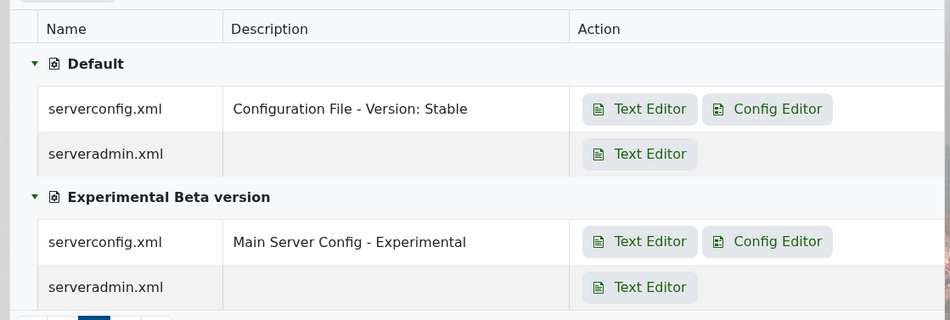
- On your own game client, create or edit a sandbox preset with the difficulty, time, zombie, horde, loot, EXP, and world settings you want. From the new game setup screen, open Sandbox Options after choosing the preset you want to base the server on.
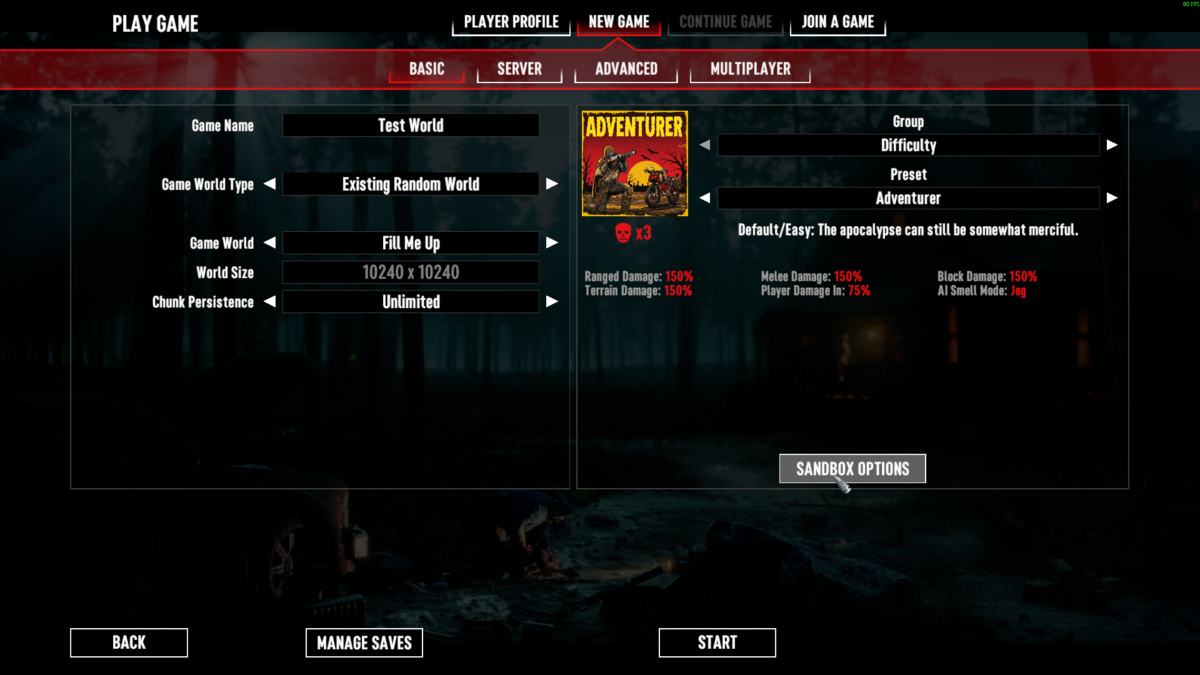
- Adjust the sandbox options, then copy the generated code from the sandbox code box.
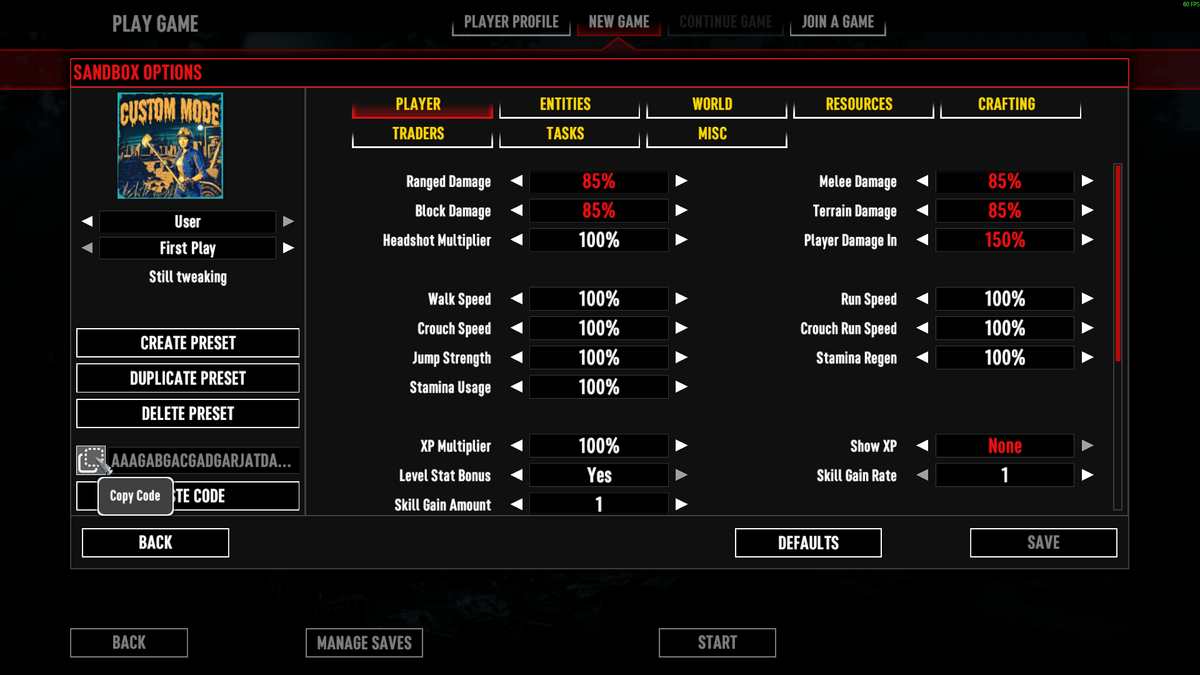
- Find
SandboxCodeinserverconfig.xmland replace the value with the code copied from the game client.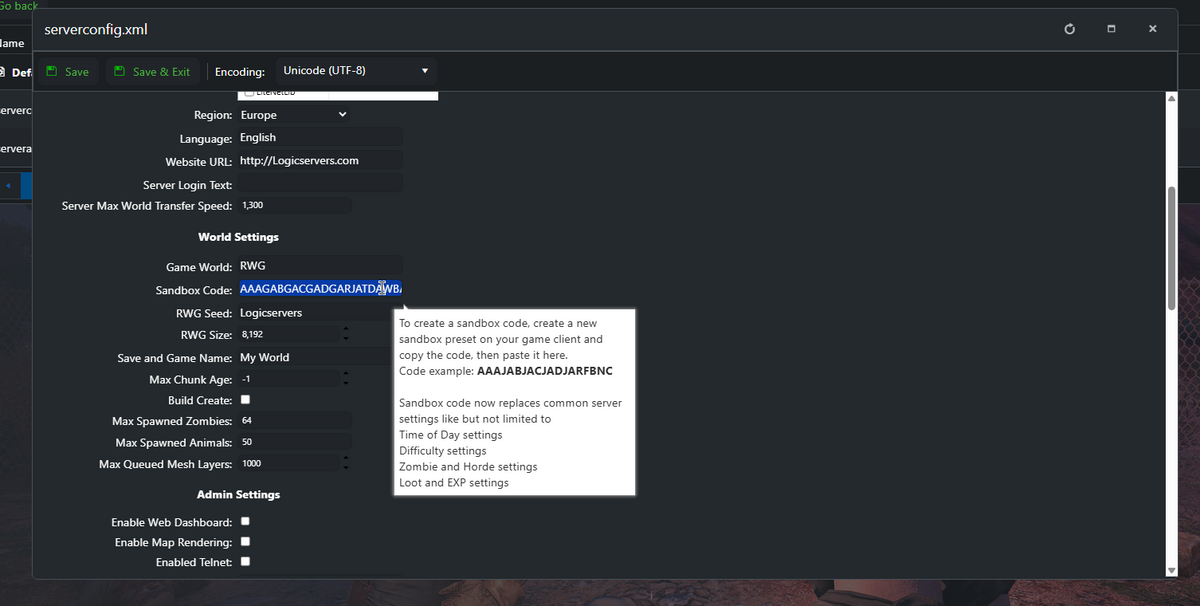
- Click Save & Exit, then restart the server.
Example:
<property name="SandboxCode" value="AAAJABJACJADJARFBNC"/>
| SandboxCode now controls | What that means |
|---|---|
| Time of Day settings | Day length, time/world progression, and related time settings from the sandbox preset. |
| Difficulty settings | Overall survival/combat difficulty from the game client preset. |
| Zombie and Horde settings | Zombie behaviour, horde/Blood Moon style settings, and related world rules. |
| Loot and EXP settings | Loot abundance, XP gain, and similar sandbox options. |
As of 7 Days to Die 3.0, these common world and gameplay settings are controlled by SandboxCode. The old separate server-side settings for difficulty, time of day, zombie/horde rules, loot, and EXP are no longer exposed as individual values in the current server config.
Some live admin console commands can affect the current running world temporarily, but the persistent server settings method for current 7 Days to Die 3.0 configs is SandboxCode. If the server fails to start after changing SandboxCode, restore the previous value or submit a support ticket with the code you pasted.


