
Vintage Story server mods should be uploaded to the server's Mods folder. Always check the mod page first, as some mods may need a matching client-side install as well.
Before you start: stop your server and take a backup. Mods can change world behaviour, so it is worth having a clean restore point before adding them.
- Download the server mod you want to install.
- Open your Vintage Story server in the control panel, then click the Files tab.
- Open the
Modsfolder.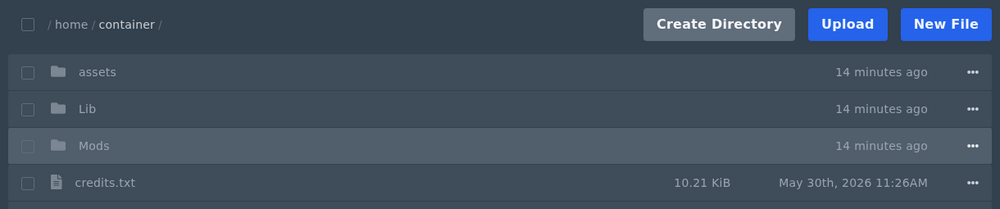
- Upload the mod file into the
Modsfolder. You can drag and drop files into the file manager, or use FTP/FileZilla if the upload is large. - Start your server and check the console for errors.
If the server fails to start after adding a mod, remove the mod and try starting again. If it starts normally after the mod is removed, the mod may be for the wrong Vintage Story version, missing a dependency, or not suitable for servers.


