A Minecraft subdomain gives players a cleaner address to use in Multiplayer, such as bobbyserver.logicserver.eu, instead of copying the raw server address.

Set the Minecraft address

  1. Open your Minecraft server in the Ptero control panel, then open Settings.
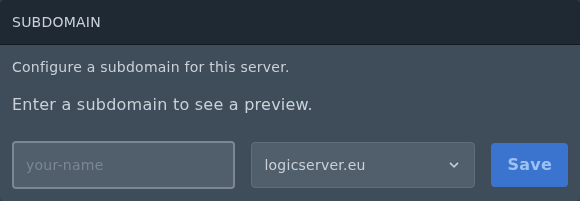
  2. Find the Subdomain section. If an address is already set, remove it before adding the new one.
  3. Enter the first part of the address, such as bobbyserver, then choose the domain from the dropdown.
  4. Click Save.

    Subdomain form for a Minecraft server on Ptero

  5. Once saved, give players the full address shown in the Subdomain section.
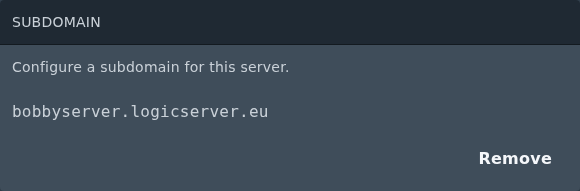
    Saved Minecraft subdomain on Ptero

For a standard Minecraft Java server, the subdomain points to the primary server allocation. If you are using Geyser/Floodgate for Bedrock players or a plugin that uses another port, that extra port may still need to be given as an IP and port instead.

For the general Ptero subdomain guide, see: Creating a custom subdomain on the Ptero panel.

  • 0 Utenti hanno trovato utile questa risposta
Hai trovato utile questa risposta?

Articoli Correlati

Colour Codes for Minecraft Multiplayer and Vanilla

This article lists all of the codes you can use with many plugins in Minecraft using Spigot or...

What is the difference between Fabric, Quilt and Forge in Minecraft Modding

Exploring the Distinctions Between Fabric and Forge When diving into the exciting world of...

What is a Grindstone and how is it used?

In this guide, we will teach you what the Grindstone in Minecraft does, and how to use it...

How to Convert Java and Bedrock Edition Worlds

In this guide, we’ll be teaching you how to convert your world from a Java Edition world to a...

Minecraft's New Version Numbers

Minecraft has changed how its version numbers work from 2026 onwards. Instead of carrying on with...