
Restore a Minecraft backup when a world change, plugin update, modpack update, or file edit has gone wrong. Stop the server before restoring so Minecraft is not writing files while the restore is running.
Restore the backup
- Open your Minecraft server in the control panel, then open Backups.
- Find the backup you want to restore. Check the backup name and date before continuing.
- Click the three-dot menu on the right of the backup, then click Restore.

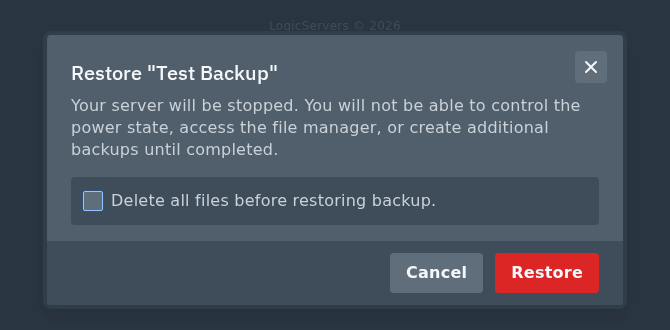
- Read the restore prompt. Only tick Delete all files before restoring backup if you want the current Minecraft files removed before the backup is restored.
- Click Restore when you are sure you selected the correct backup.
When the restore has finished, start the server from Console and check the world, plugins, player data, and modpack files before letting players back on.


