
Wiping the world removes the current Minecraft map and lets the server generate a fresh one. Back up the server first if there is any chance you will need the old world again.
Reset the world
- Stop the server, then open Files in the control panel.
- Find the current world folder. The default Java folder is usually
world. If you are not sure, openserver.propertiesand check thelevel-namesetting.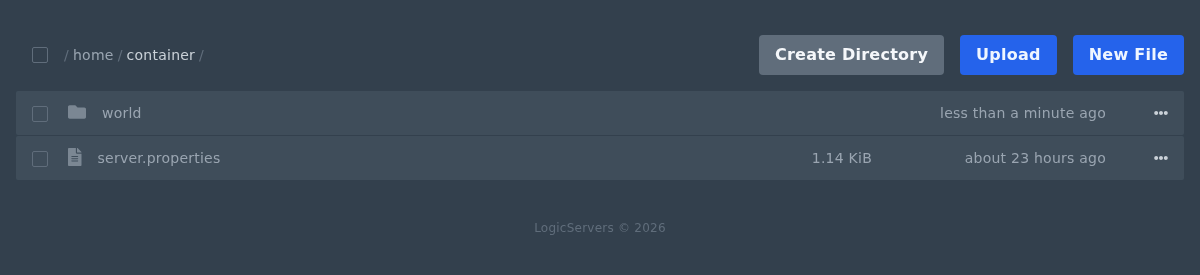
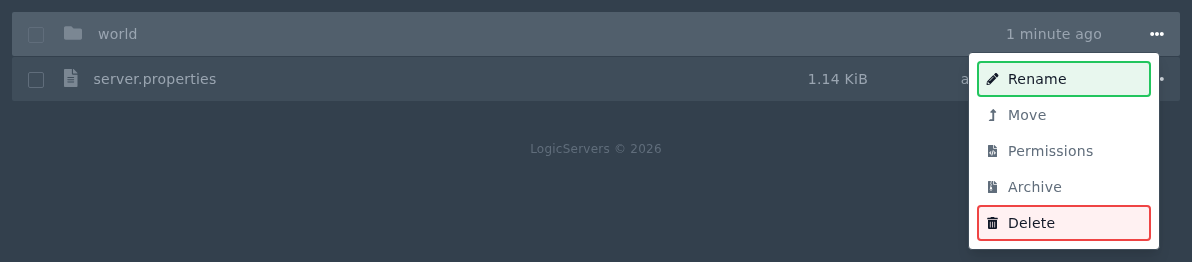
- Open the menu for the world folder. Delete it if you want to wipe it fully, or rename it if you want to keep a copy on the server.
- If your server has separate Nether or End folders, such as
world_netherandworld_the_end, remove those too if you want a full reset. - Start the server again. Minecraft will create a fresh world folder using the current server settings.
Modded servers may use different world folder names. Check server.properties or the modpack documentation if you are not sure.


