A whitelist lets only approved players join your Minecraft server. This is useful if you want a private server without relying only on a server password or hidden address.
Turn on the whitelist
- Start the server, then open Console in the control panel.
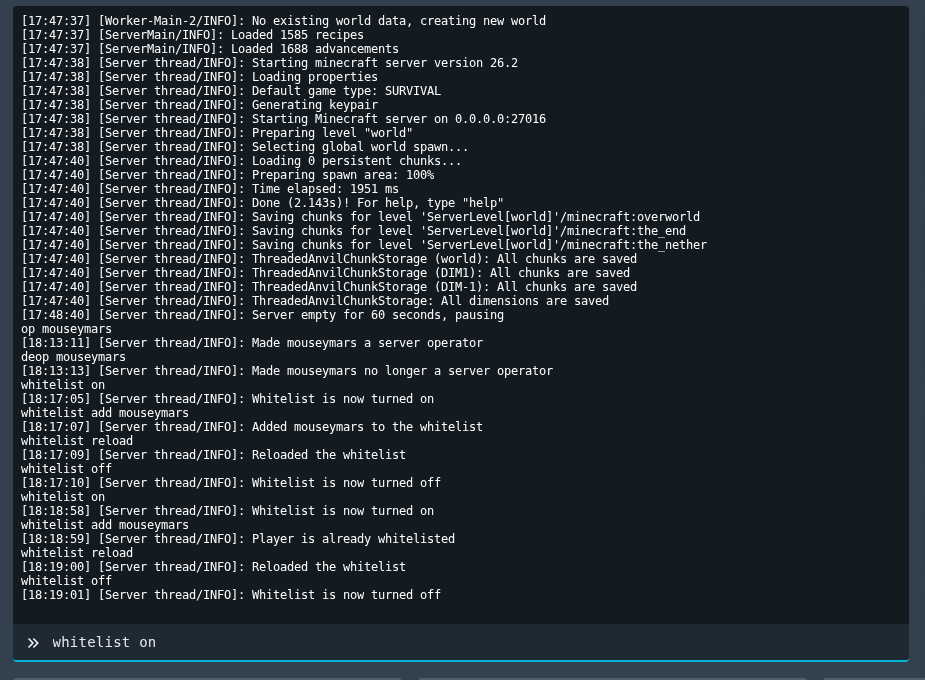
- Turn the whitelist on:
whitelist on
- Add each player you want to allow. Replace
PlayerNamewith their exact Minecraft username:whitelist add PlayerName
- If you edited whitelist files manually, reload the whitelist:
whitelist reload
To turn the whitelist off later, run whitelist off. If a player still cannot join after being added, check that their username is typed correctly and that they are using the same Minecraft edition as the server.