
A whitelist lets only approved players join your Minecraft server. This is useful if you want a private server without relying only on a server password or hidden address.

Turn on the whitelist

  1. Start the server, then open Console in the control panel.
  2. Turn the whitelist on:
    whitelist on
  3. Add each player you want to allow. Replace PlayerName with their exact Minecraft username:
    whitelist add PlayerName
  4. If you edited whitelist files manually, reload the whitelist:
    whitelist reload

To turn the whitelist off later, run whitelist off. If a player still cannot join after being added, check that their username is typed correctly and that they are using the same Minecraft edition as the server.
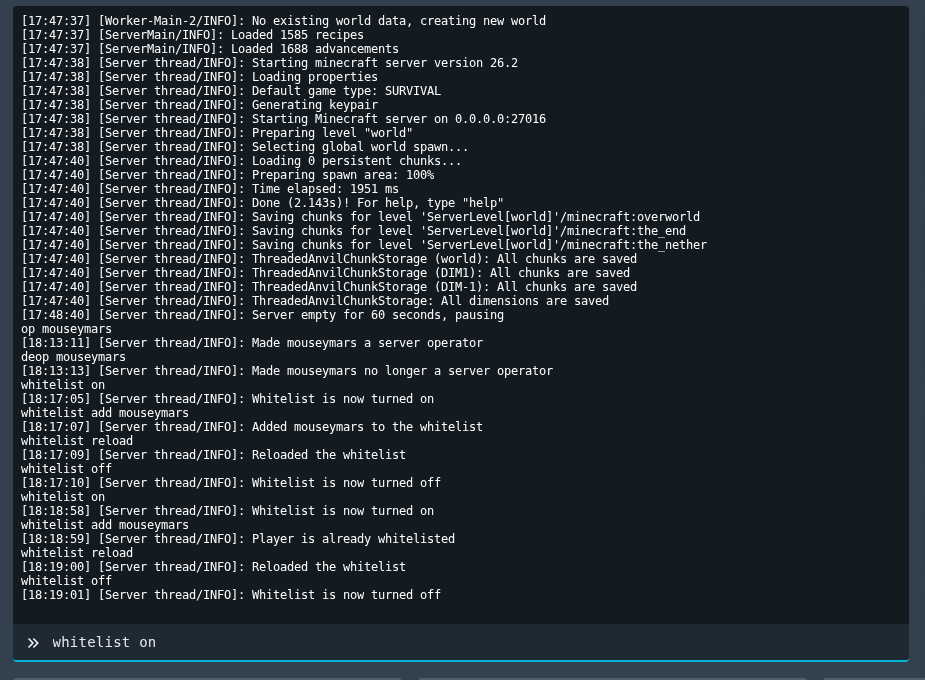

Minecraft whitelist commands shown in the Ptero console

  • 0 Utilisateurs l'ont trouvée utile
Cette réponse était-elle pertinente?

Articles connexes

Colour Codes for Minecraft Multiplayer and Vanilla

This article lists all of the codes you can use with many plugins in Minecraft using Spigot or...

What is the difference between Fabric, Quilt and Forge in Minecraft Modding

Exploring the Distinctions Between Fabric and Forge When diving into the exciting world of...

What is a Grindstone and how is it used?

In this guide, we will teach you what the Grindstone in Minecraft does, and how to use it...

How to Convert Java and Bedrock Edition Worlds

In this guide, we’ll be teaching you how to convert your world from a Java Edition world to a...

Minecraft's New Version Numbers

Minecraft has changed how its version numbers work from 2026 onwards. Instead of carrying on with...

