
Subusers let another person access your Minecraft server panel without giving them your own login. You can choose exactly what they are allowed to do.
Invite a subuser
- Open your Minecraft server in the control panel.
- Open Users from the left menu.
- Click New User.
- Enter the email address for the person you want to invite.
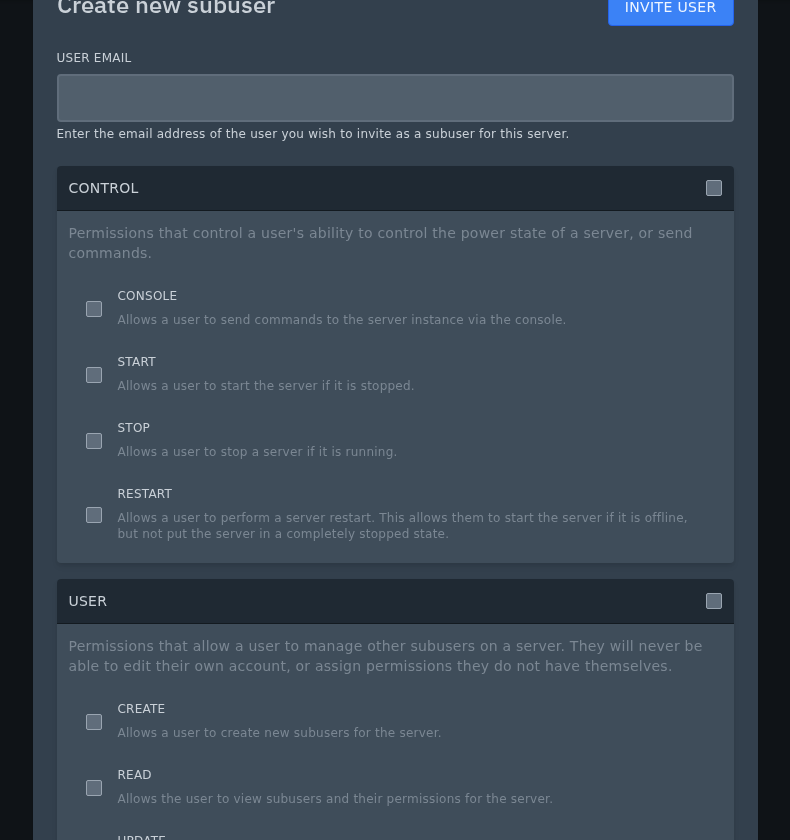
- Choose the permissions they should have, then send the invite.
Only give permissions the person actually needs. For example, someone helping with plugins may need File Manager and Console access, but they may not need permission to delete backups or change server settings.


