
Some Windrose mods use UE4SS instead of the normal .pak mod folder. Use this guide only when the mod page says UE4SS is required.
For normal .pak mods, use this guide instead: Installing mods on your Windrose Server.
Install UE4SS
- Download UE4SS for Windrose from Nexus Mods: Windrose Nexus Mods.
- Extract the download on your PC. The Windrose UE4SS package includes
dwmapi.dlland aue4ssfolder. - Stop the server.
- Open File Manager, then go to
R5/Binaries/Win64.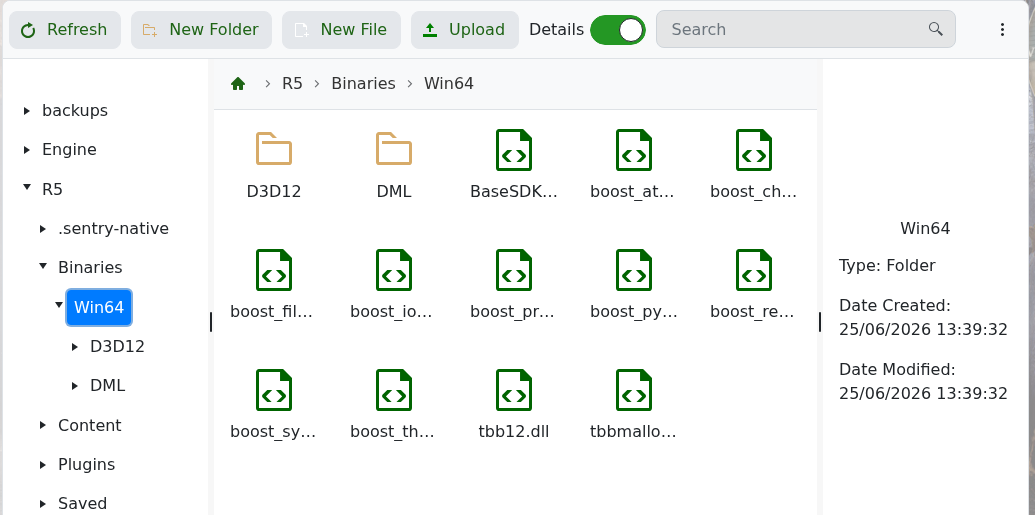
- Upload
dwmapi.dlland theue4ssfolder intoR5/Binaries/Win64. - If the UE4SS page tells you to edit
UE4SS-settings.ini, openR5/Binaries/Win64/ue4ss/UE4SS-settings.iniand make the required changes. - Start the server and check the console/logs. If the server crashes after installing UE4SS, remove the UE4SS files and check the mod page for any dedicated server workaround.
Install A UE4SS Mod
After UE4SS is installed, follow the UE4SS mod steps in the main Windrose mods guide: Installing mods on your Windrose Server.


