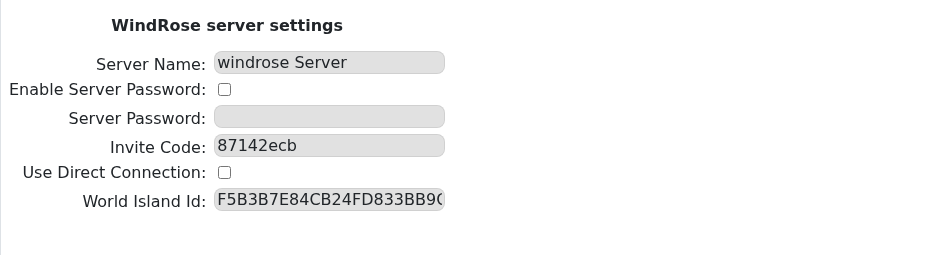
Windrose uses an invite code to let players join your server. The game can generate this after the server starts successfully, but you can also set your own code in the control panel.

Find Or Set The Join Code

  1. Open your Windrose server in the control panel.
  2. Click Configuration Files on the left side menu.
  3. Find ServerDescription.json, then click Config Editor.
  4. Find the Invite Code field.

    Windrose Config Editor showing the Invite Code field

  5. If the field already has a code, copy it and send it to the players you want to join.
  6. If the field is blank, enter a new code. Use at least 6 letters or numbers, with no spaces.
  7. If you changed the code, click Save & Exit, then restart the server.

Players can use the code with this guide: How to join a Windrose server.

  • 0 Користувачі, які знайшли це корисним
Ця відповідь Вам допомогла?

Схожі статті

How to change the password on your Windrose server

If you only want yourself and your friends to be able to join your Windrose server it is a good...

How to backup your Windrose server

How to backup your Windrose Server   We make backups simple. Every day, our system...

How to update your Windrose server

As Windrose is still in early access you will see lots of updates happening to the game. When the...

How to change the name on your Windrose server

How to change the name of your Windrose server   This guide will walk you through the process...

How to restore your Windrose Server from a backup

Restoring a Windrose backup replaces the current server files with the files from the selected...