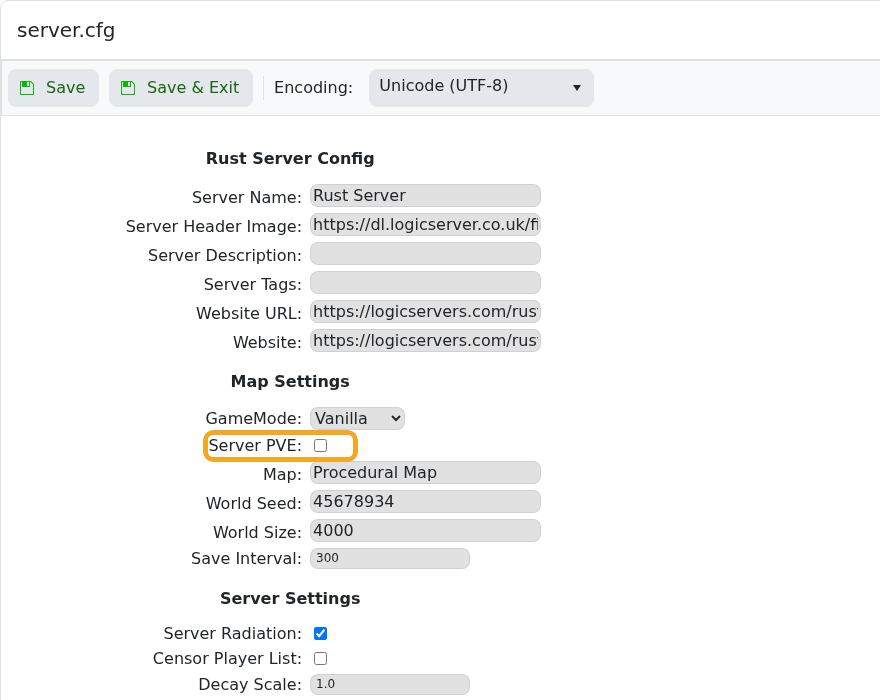
PvE mode disables normal player-versus-player damage on a Rust server. Use it for cooperative, build-focused, or event servers where players should not be able to damage each other.

  1. Open your Rust server in the control panel.
  2. Click Configuration Files.
  3. Find server.cfg, then click Config Editor.
  4. Tick Server PVE.

    Rust server.cfg Config Editor showing Server PVE highlighted

  5. Click Save & Exit.
  6. Restart the server so PvE mode is applied.

Untick Server PVE and restart again if you want normal PvP. Some plugins can also affect combat rules, so check plugin configs if PvE does not behave as expected.


  • 0 Os usuários acharam isso útil
Esta resposta foi útil?

Artigos Relacionados

Making yourself admin on a Rust Server

Rust admin access lets a trusted player run server commands, moderate players, save/write config...

How to join a Rust Server

Use the server address from your control panel to join your Rust server. This guide uses...

Installing Rust: IO on your Rust Server

Rust:IO is an older mapping/plugin ecosystem for Rust servers. On our Rust panel, Rust:IO is...

Wiping the world of your Rust server

Wiping and resetting a Rust server are the same basic workflow: remove the current saved data so...

Creating a custom command line for your Rust server

Rust command lines control startup-only options such as RCON, WebRCon, logs, map size, save...