You can join your Project Zomboid server by saving it as a favourite in the in-game multiplayer menu. Use the IP address, port, and password from your control panel, then create an account entry for the server before connecting.

  1. Open your Project Zomboid server in the control panel.
  2. Copy the address under Connection Info.
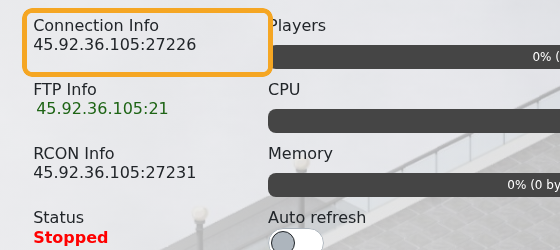
    Project Zomboid server Connection Info

  3. Open Project Zomboid on your PC.
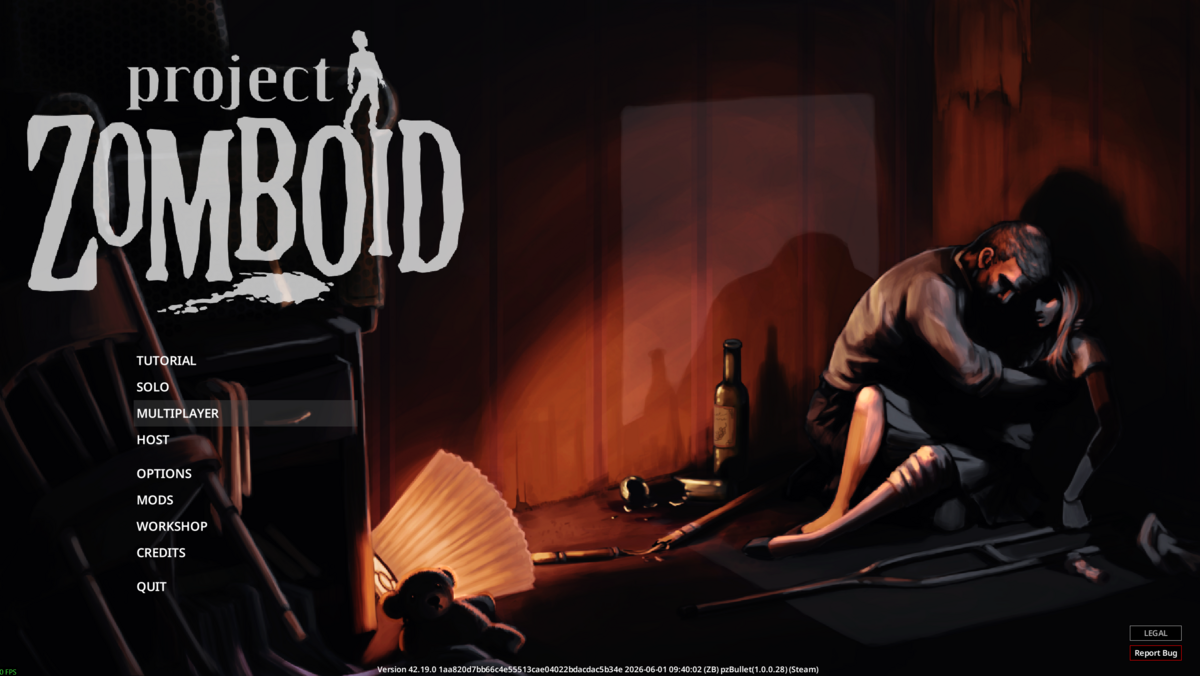
  4. Click Multiplayer from the main menu.

    Project Zomboid main menu with Multiplayer selected

  5. On the Favourites tab, click Add Server.
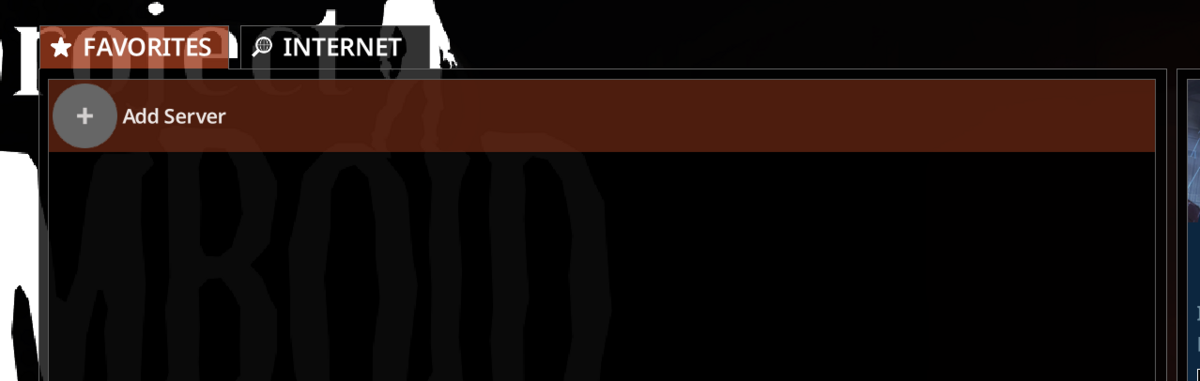
    Project Zomboid Favourites tab showing Add Server

  6. Enter a server name, the server IP, the server port, and the server password if one is set, then click Save.
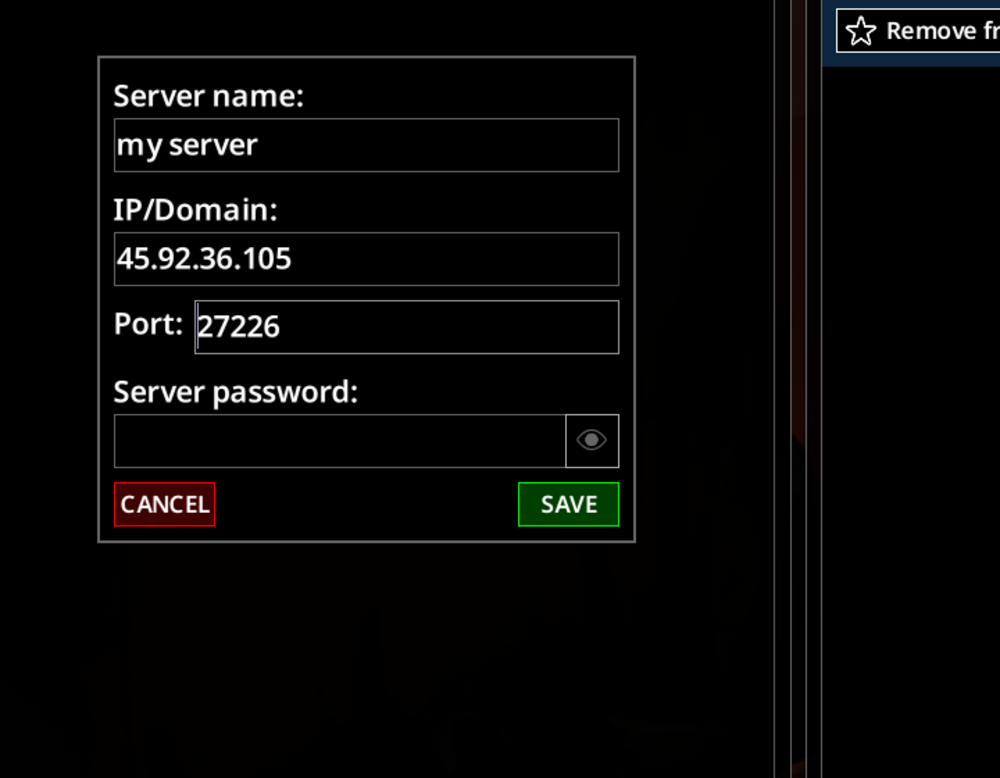
    Project Zomboid add server form showing IP, port, and password fields

  7. If the saved server shows Add New Account, select it to create the account you will use on that server.
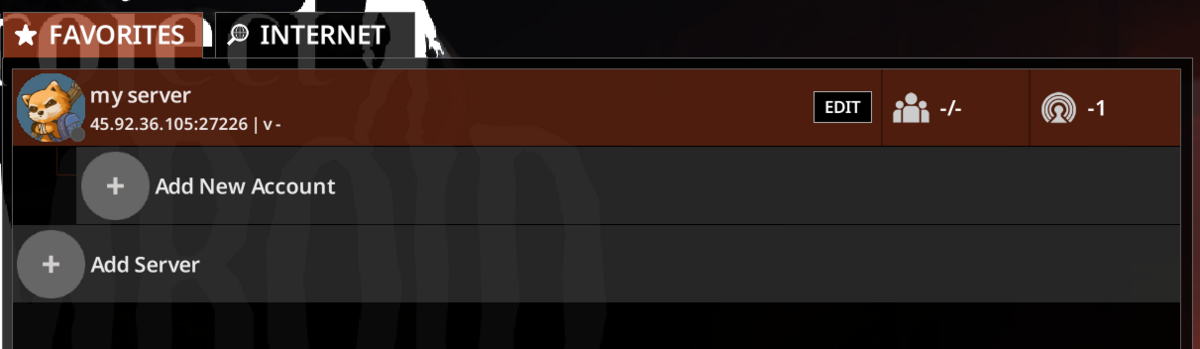
    Project Zomboid Favourites tab showing Add New Account

  8. Enter a username, choose the authentication type, enter the account password if needed, then click Save.
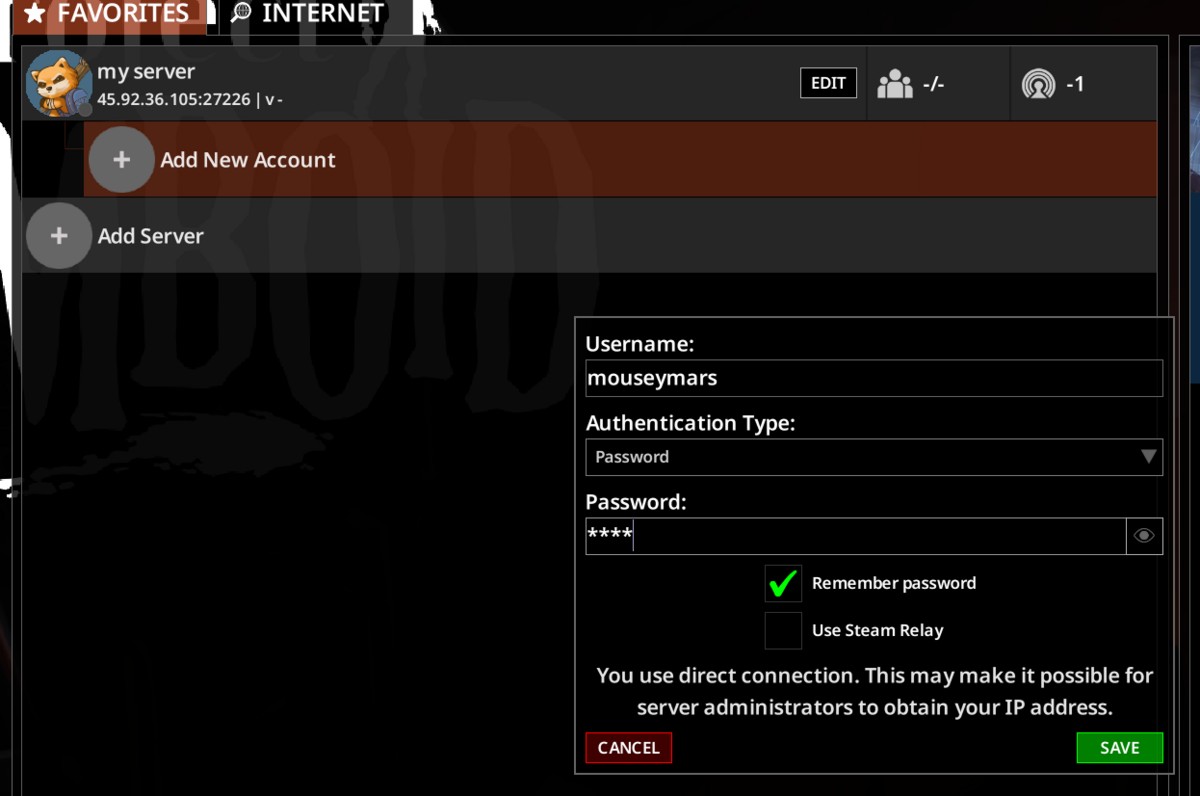
    Project Zomboid account panel showing username, password, and remember password

  9. Select the saved account, then click Connect.
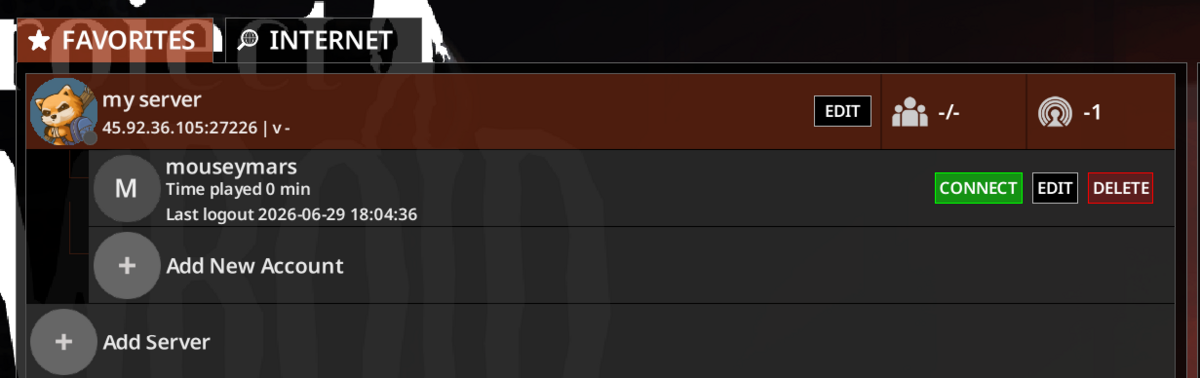
    Project Zomboid saved favourite showing the Connect button

If the server does not appear in the public browser, use the direct IP and port from the control panel. Make sure your game client is on the same branch as the server, especially if you have installed an unstable branch.


  • 0 کاربر این را مفید یافتند
آیا این پاسخ به شما کمک کرد؟

مقالات مربوطه

How to install mods on a Project Zomboid server

Project Zomboid Workshop mods need two values from the Steam Workshop page: the Workshop ID and...

Installing Map Mods on Your Project Zomboid Server

Project Zomboid map mods usually need three values from the Workshop page: Workshop ID, Mod ID,...

Project Zomboid Admin Commands Guide

Project Zomboid admin commands can be run in-game by an admin account or from the server console....

Making yourself Admin on your Project Zomboid Server

Making yourself Admin on Your Project Zomboid Server This guide will walk you through the...

How to run Unstable B42 Multiplayer on your Project Zomboid Server

Project Zomboid Build 42 now includes multiplayer support. You can install it on your Project...