Create a Valheim backup before updating, changing mods, uploading worlds, changing server settings, or testing a new branch. A backup gives you a restore point if the world or mod setup breaks.

  1. Open your Valheim server in the control panel.
  2. For the cleanest backup, stop the server first.
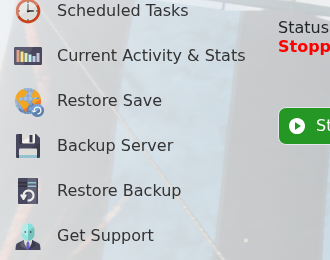
  3. Click Backup Server.

    Valheim control panel showing Backup Server and Restore Backup actions

  4. Wait for the backup task to finish before making changes.
  5. Start the server again if you stopped it.

  • 0 användare blev hjälpta av detta svar
Hjälpte svaret dig?

Relaterade artiklar

Changing the name of your Valheim Server

The Valheim server name is stored in the server settings file. Change it from the server.bat...

Changing the password of your Valheim Server

Use the server.bat Config Editor to set or change the Valheim join password. Valheim passwords...

Changing the world that your Valheim Server loads

The Valheim World field tells the server which world save to load. The value must match the world...

How to upload a world to your Valheim Server

Upload a Valheim world when you want your server to run a world from your own PC or another...

How to make yourself admin on a Valheim Server

Valheim server admins are listed in adminlist.txt. Add your SteamID64 to that file, save it, then...