
Restore a Palworld backup when you need to roll the server back after a bad update, broken mod install, unwanted config change, or world issue. Restoring replaces current files with the selected backup.
- Open your Palworld server in the control panel.
- Stop the server.
- Click Restore Backup.
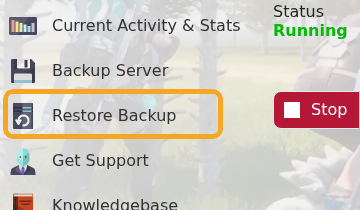
- Select the backup you want to restore from the dropdown.

- Tick Are you sure?.
- Click Execute and wait for the restore task to finish.
- Start the server and test the world.
If you are restoring because of a failed mod or config change, do not reinstall the same files again until you know what caused the issue. After the restore, check Web Console or Log Viewer if the server does not start normally.


