
Restoring a backup rolls the server files back to the point where that backup was created. This is useful if a mod, update, or config change breaks the server.
- Open your Vintage Story server in the control panel.
- Stop the server.
- Click the Backups tab.
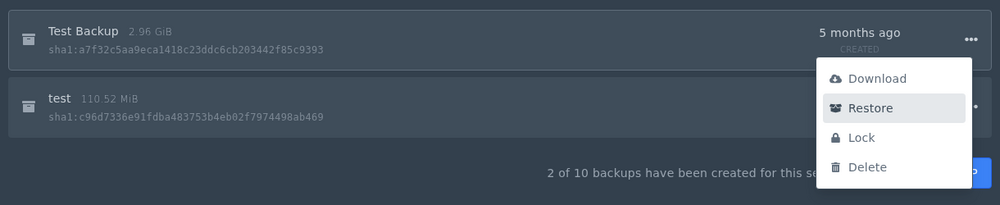
- Find the backup you want to restore and open its options menu.
- Choose the restore option and confirm the restore when the panel asks.
When the restore has finished, start the server and check the console. If you restored because of a broken mod or config change, check the server before adding that change again.


