
Some Vintage Story mods or tools may need an extra port. Any ports already assigned to your server can be found on the Network page.


  1. Open your Vintage Story server in the control panel.
  2. Click the Network tab.
  3. Use one of the listed allocations for the mod or tool that needs an extra port.
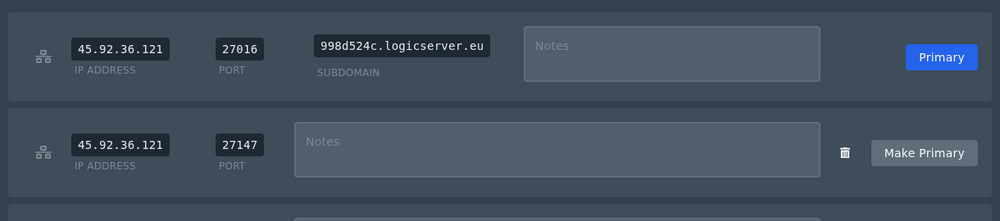
    Vintage Story server network allocations

  4. If the mod needs the extra port to be the main server address, click Make Primary on that allocation.


If all allocations are already in use and you need another one, open a support ticket and let us know what you need the extra port for.


  • 0 istifadəçi bunu faydalı hesab edir
Bu cavab sizə kömək etdi?

Uyğun məqalələr

How to join a Vintage Story server

You can join your Vintage Story server using the address shown on the Console page of your...

Installing mods on your Vintage Story server

Vintage Story server mods should be uploaded to the server's Mods folder. Always check the mod...

How to backup your Vintage Story server

A backup gives you a restore point before changing mods, updating versions, or making larger...

How to restore your Vintage Story server from a backup

Restoring a backup rolls the server files back to the point where that backup was created. This...

How to update your Vintage Story server

Vintage Story updates are handled through the server egg and reinstall process on the control...
