You can create a panel subdomain so players have an easier address to use when connecting to your server.

Remove the current subdomain

  1. Open your server in the Ptero control panel, then open Settings.
  2. Find the Subdomain section. If a subdomain is already set, click Remove.
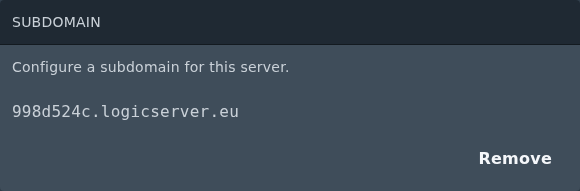
    Current subdomain on the Ptero Settings page

  3. Click Yes, remove subdomain to confirm.
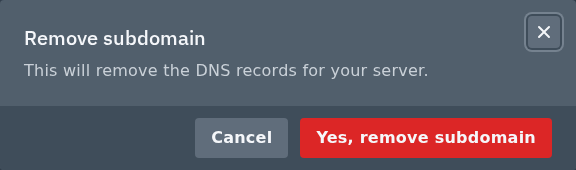
    Remove subdomain confirmation on the Ptero panel

Add the new subdomain

  1. After the old subdomain has been removed, the Subdomain section will show the add form.
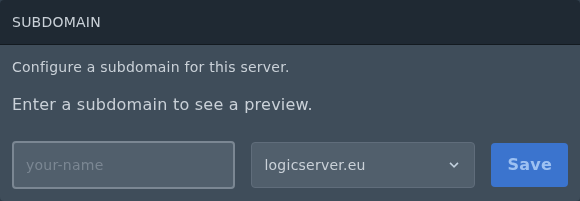
    Add subdomain form on the Ptero Settings page

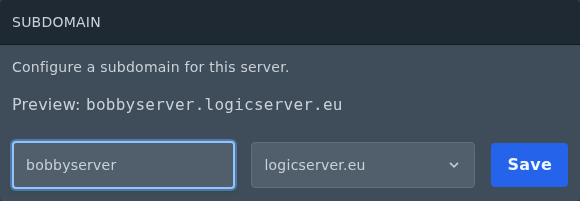
  2. Enter the subdomain name you want to use. Enter only the first part, such as bobbyserver, then choose the domain from the dropdown.
  3. Click Save.

    Custom subdomain entered on the Ptero Settings page

  4. Once saved, the full subdomain will show in the Subdomain section.
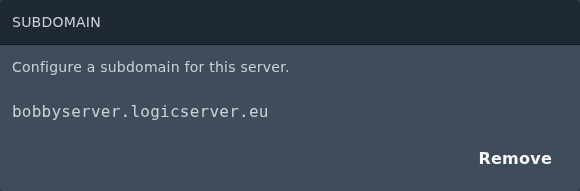
    Saved custom subdomain on the Ptero Settings page

The subdomain points to your server's primary allocation. If a plugin, mod, or Bedrock setup uses an extra allocation, players may need to connect using the IP address and port for that allocation instead.


  • 0 Користувачі, які знайшли це корисним
Ця відповідь Вам допомогла?

Схожі статті

Setting up Scheduled Tasks in TCAdmin

Log into your control panel. Enter Schedule Tasks, create a new one and choose the...

How to add sub-users in TCAdmin

Log into TCAdmin. Enter Sun Users, found under User Management. Select new, and in...

How to Increase how many players can join your Minecraft Server or Game Server

Expanding server slots is a key step in enhancing your game server's capacity, allowing more...

How to Report Abuse on Services Hosted by LogicServers

At LogicServers, we prioritize maintaining a safe and secure online environment for all our...

Feedback and Complaints Submission

We strive to provide the best service possible, we can only improve on our services with valid...