
Resetting the world removes the current Dragonwilds world save and lets the server generate or load a fresh world.

Reset the world

  1. Take a backup first if you might want the old world back.
  2. Stop the server.
  3. Click Wipe World on the left side menu.
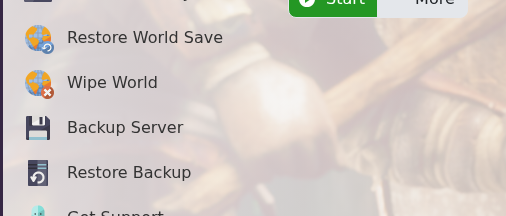
    Dragonwilds Wipe World button

  4. Confirm the action if the panel asks you to execute the script.
  5. Start the server again.

Only wipe the world when you are sure. If you wipe the wrong world without a backup, it may not be recoverable.


  • 0 Uživatelům pomohlo
Byla tato odpověď nápomocná?

Související články

How to backup your Dragonwilds Server

Dragonwilds servers include scheduled backups, but it is still worth taking a manual backup...

How to restore your Dragonwilds Server from a backup

You can restore a Dragonwilds backup if a setting change, mod install, update, or world change...

How to join a Dragonwilds Server

You can find your Dragonwilds server connection details on the server home page in the control...

How to Change Your Dragonwilds Username

Dragonwilds player names are handled by the game client rather than the server control panel. If...

Dragonwilds Server RAM Recommendations

The right RAM amount for a Dragonwilds server depends on player count, world activity, mods, and...
