
Most Windrose mods on Nexus Mods are .pak files. You can find them on the Windrose Nexus Mods page. Always read the mod page before uploading anything, because some mods are server-side only, some are client-side only, and some need to be installed on both the server and every player's PC.
Check What The Mod Needs
Windrose mod pages usually list one or more install paths. Common examples are:
| Mod Type | Common Path | What It Means |
|---|---|---|
Dedicated server .pak mod |
R5/Content/Paks/~mods |
Upload the mod to this folder on your server. |
Client-side .pak mod |
Windrose/R5/Content/Paks/~mods |
Each player installs this locally on their own PC. |
| Local multiplayer server files | Windrose/R5/Builds/WindowsServer/R5/Content/Paks/~mods |
This is for a player-hosted local server, not the hosted dedicated server panel. |
| UE4SS | R5/Binaries/Win64 |
Install UE4SS first, then follow the UE4SS mod author's upload path. See How to install UE4SS on your Windrose server. |
If the mod page says it is client-side only, you do not need to upload it to the server. If the mod page says clients also need the mod, every player should install the same version locally.
Install / Update A Pak Mod
- Download the mod manually from Nexus Mods or the mod author's page. If the download includes multiple versions, choose one version only unless the mod author says otherwise.
- Extract the downloaded archive on your PC. Look for the mod's
.pakfile, and any matching files the author includes. - Stop the server.
- Open File Manager, then go to
R5/Content/Paks. If there is no~modsfolder, create it. - Open
~modsand upload the mod files there.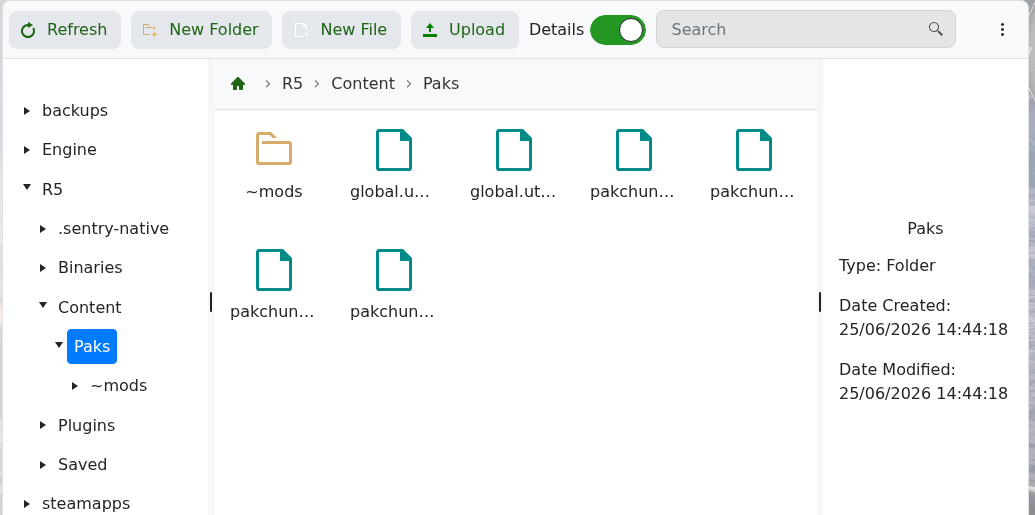
- If you are updating a mod, remove the old version of that mod from
R5/Content/Paks/~mods, then upload the new version. - Start the server and test it in-game.
Installing A UE4SS Mod
Only use this section when the Windrose mod page says the mod requires UE4SS. If the mod is a normal .pak mod, use the section above instead.
- Install UE4SS on the server first: How to install UE4SS on your Windrose server. UE4SS is uploaded to
R5/Binaries/Win64.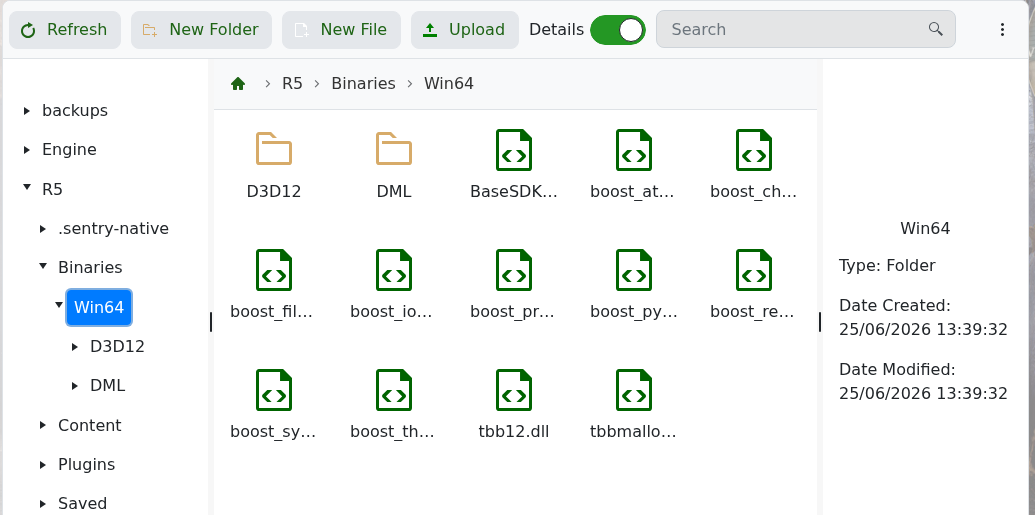
- Download the UE4SS mod from Nexus Mods or the mod author's page.
- Extract the downloaded archive on your PC.
- Read the mod page for the exact upload path. UE4SS mods often use a folder inside
R5/Binaries/Win64/ue4ss/Mods, but some mods use a different path or need extra edits. - Upload the mod folder or files to the path listed by the mod author.
- If the mod page says to enable the mod in a config file, make that edit before starting the server.
- Start the server and test it in-game. If the server crashes, remove the UE4SS mod files first, then check whether the mod page lists a dedicated server fix or compatibility note.
Need help installing a Windrose mod? Submit a support ticket with a link to the mod page and we can check the install instructions for you.


