
Icarus dedicated server prospects are stored in Icarus/Saved/PlayerData/DedicatedServer/Prospects. Upload the full prospect folder or files, then tell the server which prospect to load.
- Open your Icarus server in the control panel and stop the server.
- Click File Manager.
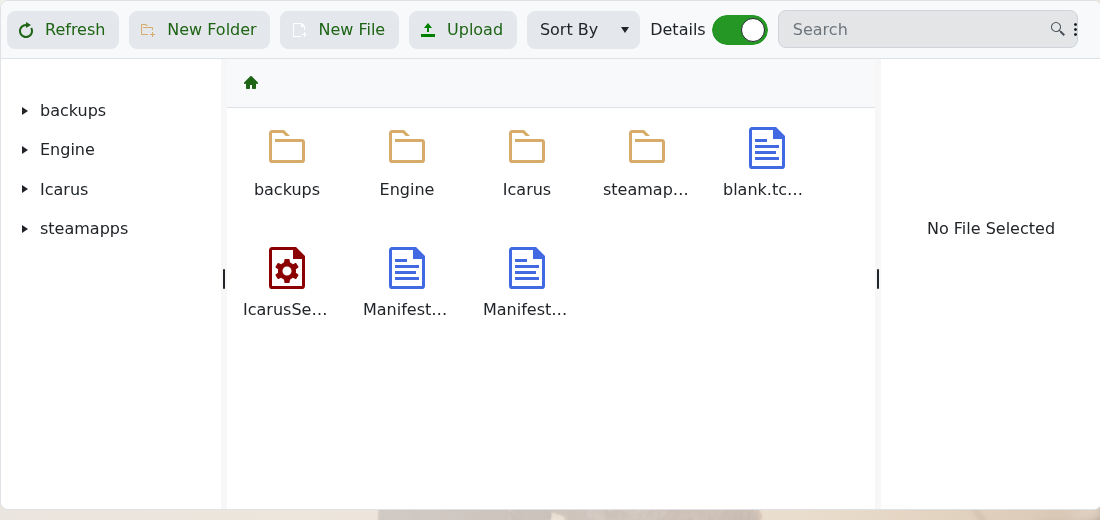
- Open
Icarus/Saved/PlayerData/DedicatedServer/Prospects. Create any missing folders in that path if they are not already present. - Upload the prospect folder or ZIP file from your PC. If you upload a ZIP file, extract it in File Manager after upload.
- Copy the prospect name exactly as it appears on the server.
- Open Configuration Files, then open
ServerSettings.iniwith Text Editor. - Set
LoadProspectto the prospect you want the server to load, then save the file. - Start the server and test that the uploaded prospect loads correctly.
If the server starts a new prospect instead, stop it and check that LoadProspect exactly matches the uploaded prospect name. If you are not sure which file or folder name to use, submit a support ticket and include the uploaded prospect filename.


