
Restore a Rust backup when you need to roll the server back after a bad update, unwanted wipe, broken plugin change, or accidental file edit. Restoring replaces the current server files with the selected backup.

  1. Open your Rust server in the control panel.
  2. Stop the server.
  3. Click Restore Backup on the left side menu.
  4. Select the backup you want to restore from the dropdown.
  5. Tick Are you sure?, then click Execute.
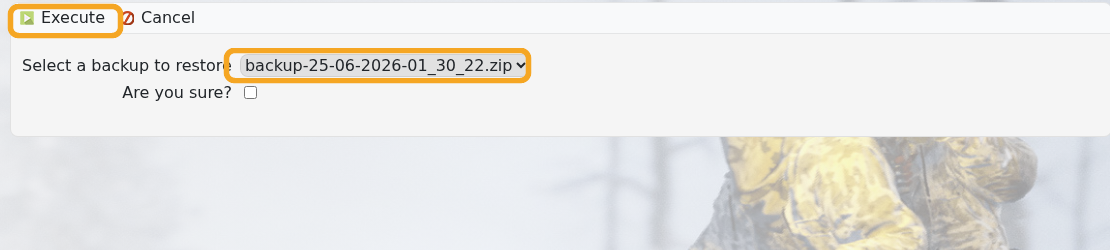
    Rust Restore Backup page showing backup dropdown and Execute button

  6. Wait for the restore to finish, then start the server.

If you are unsure which backup to restore, submit a support ticket first.

  • 0 Kunder som kunne bruge dette svar
Hjalp dette svar dig?

Relaterede artikler

Making yourself admin on a Rust Server

Rust admin access lets a trusted player run server commands, moderate players, save/write config...

How to join a Rust Server

Use the server address from your control panel to join your Rust server. This guide uses...

Installing Rust: IO on your Rust Server

Rust:IO is an older mapping/plugin ecosystem for Rust servers. On our Rust panel, Rust:IO is...

Wiping the world of your Rust server

Wiping and resetting a Rust server are the same basic workflow: remove the current saved data so...

Creating a custom command line for your Rust server

Rust command lines control startup-only options such as RCON, WebRCon, logs, map size, save...

