
Your Rust server description, website, tags, and banner help players recognise the server in the browser. These values are exposed in the server.cfg Config Editor.
- Open your Rust server in the control panel.
- Click Configuration Files.
- Find
server.cfg, then click Config Editor. - Edit Server Header Image, Server Description, Server Tags, Website URL, or Website as needed.
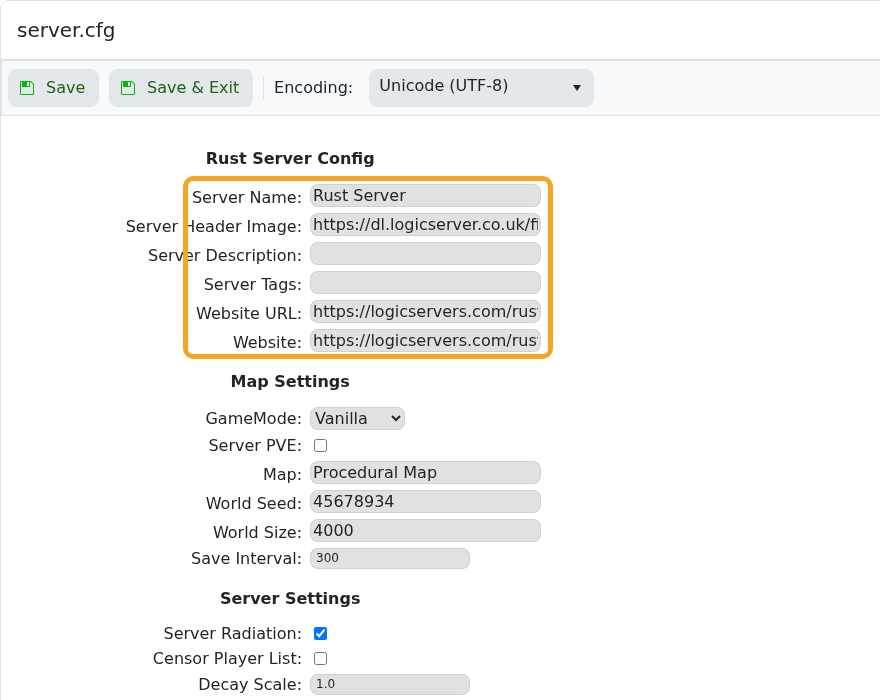
- Use a direct image URL for Server Header Image.
- Click Save & Exit.
- Restart the server so the updated browser details are applied.
The Rust browser may cache old server details briefly. Restart the server, then allow a few minutes for the listing to refresh.


