
RCON gives remote tools access to your Rust server console, so the password must be kept private. On Rust services, the RCON password and WebRCon switch are handled from Commandline Manager.
- Open your Rust server in the control panel.
- Click Commandline Manager on the left side menu.
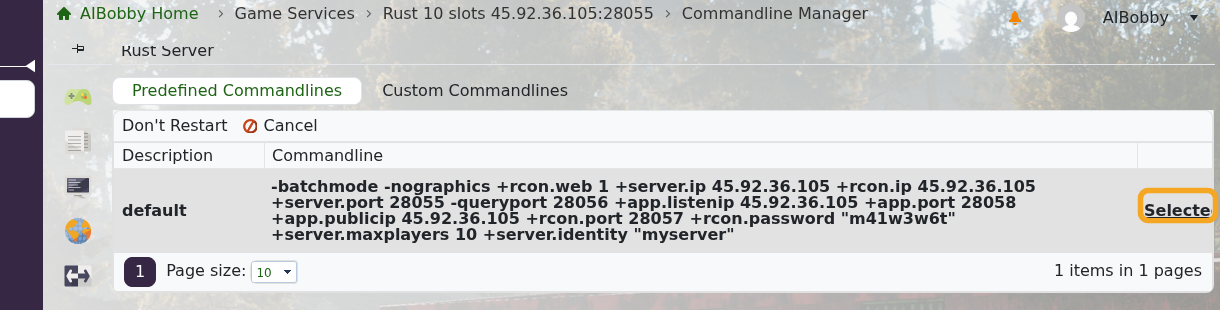
- On Predefined Commandlines, click Selected beside the active command line.
- Enter the new password in RCON Password.
- Keep rcon.web enabled if you want to use Facepunch WebRCon or browser-based RCON tools.
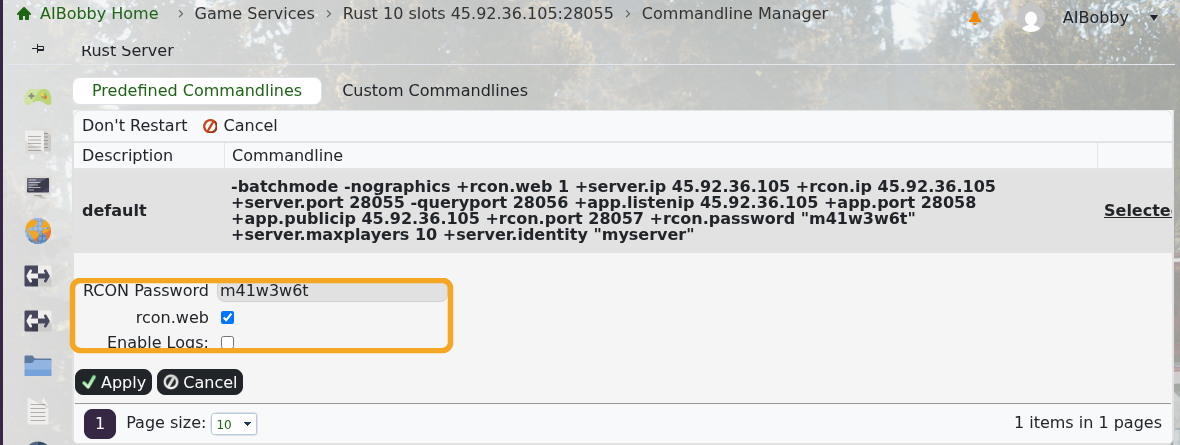
- Click Apply.
- Restart the server so the RCON password change is applied.
- Test the new password with How to use RCON with your Rust server.
If you want to create a separate startup profile instead of editing the predefined command line, use Creating a custom command line for your Rust server. Anyone with the RCON address and password can run server commands, so only share it with trusted admins.


