
Easy Anti-Cheat for Empyrion is controlled by EACActive in server.yaml. Enable it when you want clients to connect with EAC enabled, or disable it if you are troubleshooting client-side EAC connection problems.

Change EACActive

  1. Open your Empyrion server in the control panel.
  2. Click Configuration Files.
  3. Open server.yaml with Text Editor.
  4. Find EACActive.
  5. Set it to true to enable EAC, or false to disable EAC.
  6. Click Save & Exit, then restart the server.
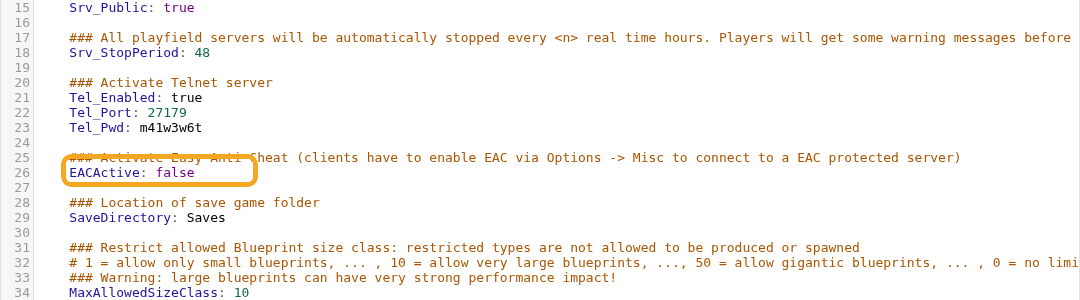
    Empyrion server.yaml showing EACActive setting

EACActive: true

Players joining an EAC-protected server must also have EAC enabled in their client. If players cannot connect after you enable EAC, ask them to check the game launcher and client-side EAC settings.


  • 0 Uživatelům pomohlo
Byla tato odpověď nápomocná?

Související články

Using your own game save in Empyrion

You can upload an existing Empyrion save by placing the save folder inside Saves/Games and then...

How to delete a players data in Empyrion

Delete Empyrion player data when you need to reset one player without wiping the whole world....

How to restore a backup for your Empyrion server

Restore an Empyrion backup when you need to roll the server back after a bad update, unwanted...

How to backup your Empyrion server save

Create an Empyrion backup before updating, restoring files, changing scenarios, uploading saves,...

How to create a custom admin file for your Empyrion server

Empyrion admin permissions are controlled in adminconfig.yaml. Add a player SteamID64 under...
