
Use Steam Update when Project Zomboid releases a server update or when your client can no longer connect because the server is behind. Take a backup first if you have active saves or modded settings.
- Open your Project Zomboid server in the control panel.
- Click Backup Server and wait for the backup to finish.
- Click Steam Update.
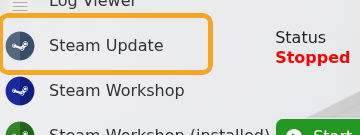
- Wait for the Steam update task to complete.
- Start the server and check Web Console for startup errors.
If you use Workshop mods, check whether any mod updates are also required after the server update.


